Stripe vs PayPal for Creators and Entrepreneurs: 2026 Guide
Stripe vs PayPal for Creators and Entrepreneurs: 2026 Guide

For most creators and small online businesses, start with Stripe as your primary processor and add a PayPal wallet button as a secondary option. If you have no developer on your team and just need a fast, trusted checkout live today, PayPal alone gets you there in under an hour. Marketplaces and SaaS businesses with custom billing logic should go Stripe-first without hesitation.
Here is the shortlist:
- Creator with a simple checkout or course page → PayPal as primary (zero setup friction, trusted brand), Stripe as fallback for card-only buyers who skip PayPal.
- Developer-led ecommerce, SaaS, or subscription business → Stripe as primary, PayPal wallet button added as a secondary conversion layer.
- Cross-border seller or marketplace operator → Stripe as primary for transparent FX routing and multi-party payouts; PayPal wallet button for wallet-preferred buyers in key markets.
Your immediate next step: enable your primary processor and, if checkout abandonment is a concern, add the secondary wallet button within the same sprint. The engineering lift is small; the conversion upside is not.
Table of Contents
- How do Stripe and PayPal compare at a glance?
- What are Stripe and PayPal actually built to do?
- How do the fees actually compare when you run the numbers?
- Which payment methods and checkout options does each platform support?
- How do subscriptions and recurring billing work on each platform?
- What do the developer tools and integrations look like in practice?
- How do fraud protection, disputes, and account holds compare?
- How do international sales and payouts work?
- How do you choose between Stripe and PayPal for your business?
- When does running both platforms make sense?
- Key Takeaways
- The case for not overthinking your payment stack
- Money-plug builds and manages your payment infrastructure for you
- Useful sources and official documentation
How do Stripe and PayPal compare at a glance?
| Dimension | Stripe | PayPal | Square |
|---|---|---|---|
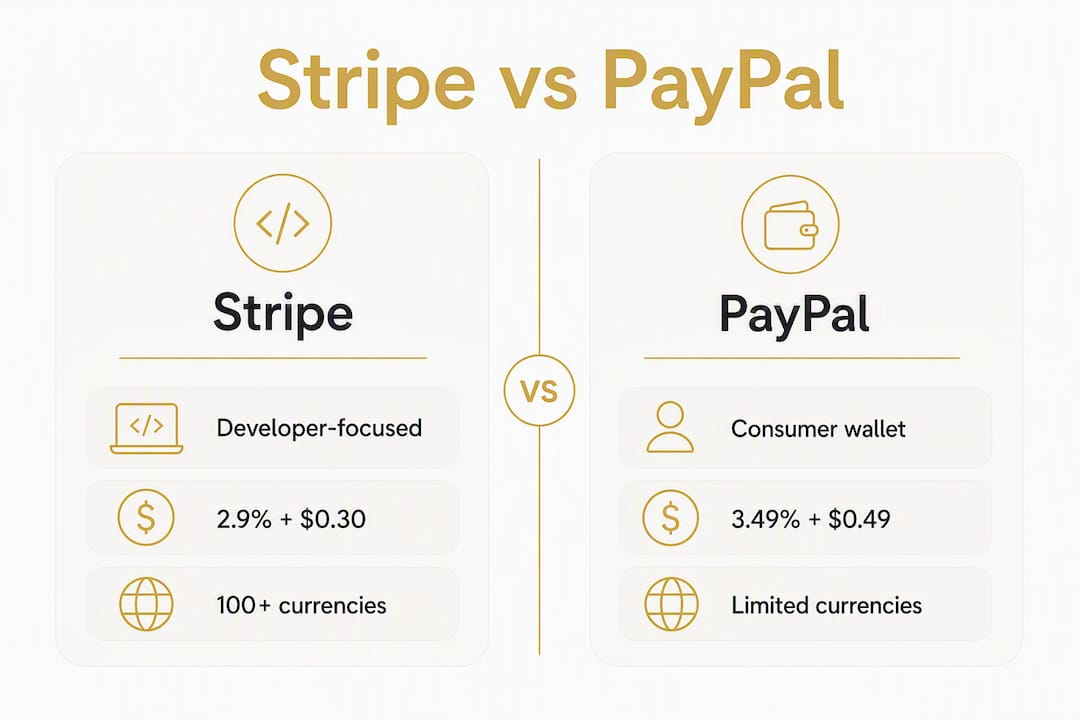
| Standard card fee (US) | 2.9% + $0.30 | 3.49% + $0.49 (standard checkout) | 2.9% + $0.30 (online) |
| Fee on a $100 sale | $3.20 | ~$3.98 | $3.20 |
| Best for | SaaS, subscriptions, marketplaces, developers | Creators, small merchants, wallet-first buyers | Omnichannel / in-person + online sellers |
| Ease of setup | Moderate (developer-friendly, not plug-and-play) | Very easy (no-code, live in under an hour) | Easy (guided onboarding, hardware optional) |
| Developer flexibility | Excellent (rich API, SDKs, webhooks) | Limited (basic API, fewer customization options) | Moderate (good for POS, limited custom flows) |
| Subscription & billing | Full-featured (Stripe Billing, dunning, metered) | Basic (PayPal Subscriptions, limited dunning) | Basic recurring; not built for SaaS |
| Payment methods | Cards, ACH, wallets, BNPL (Affirm, Klarna), 100+ local methods | Cards, PayPal wallet, Venmo, Pay Later (BNPL) | Cards, ACH, Apple Pay, Google Pay |
| Payout speed | 2 business days standard; instant | 1–3 business days; instant to PayPal balance | 1–2 business days; instant |
| Chargeback fee | $15 (waived if you win) | $20 (non-refundable on most disputes) | $0 (absorbed by Square) |
| Currency conversion | ~1% above mid-market | ~3–4% above mid-market | Limited international support |

Pro Tip: PayPal’s wallet button is not just a convenience feature. PayPal Fastlane, its guest checkout accelerator, has been reported to improve guest checkout conversion significantly. If your audience skews toward buyers who already have a PayPal account, that lift can outweigh a slightly higher headline fee.
What are Stripe and PayPal actually built to do?
The fee difference between these two platforms is real but secondary. The more important gap is architectural: they were built for different buyers, and that shapes everything from how you integrate them to how your customers experience checkout.
Stripe is developer-first payments infrastructure. Its default assumption is that an engineer will touch the integration. The API surface is deep, the documentation is thorough, and the product suite covers subscriptions, marketplace payouts, fraud rules, and tax calculation. You get full control over the checkout experience, but you earn that control by writing code or paying someone to write it.
PayPal is a consumer-facing wallet that happens to also be a payment processor. Its core asset is not its API; it is the 400+ million active account holders who already have a PayPal balance or saved card on file. When a buyer sees the PayPal button, they recognize it, trust it, and often click it without thinking twice. That brand recognition is a genuine conversion tool, especially for first-time buyers who are skeptical about entering card details on an unfamiliar site.
Stripe holds the largest market share by total merchant count, while PayPal leads in total active user accounts. Those two statistics tell the whole story: developers and businesses choose Stripe to build on; buyers choose PayPal to pay with.
The strategic trade-offs break down like this:
- Control vs. trust signal: Stripe gives you full UX control; PayPal gives you an instant credibility boost at checkout.
- Setup speed: PayPal can be live in under an hour with no code; Stripe’s full integration typically takes days to weeks.
- Customization ceiling: Stripe has almost no limit; PayPal’s checkout is largely fixed in appearance and flow.
- Recurring revenue: Stripe Billing is purpose-built for subscriptions; PayPal’s recurring tools are functional but limited.
- Marketplace payouts: Stripe Connect handles complex multi-party flows natively; PayPal’s equivalent requires more manual configuration.
How do the fees actually compare when you run the numbers?
The headline rates look similar until you dig into the fixed components and the add-ons.
Standard US card transaction rates
Stripe charges 2.9% + $0.30 per successful card transaction. On a $100 sale, that works out to $3.20 in fees, leaving you $96.80. PayPal’s standard checkout rate runs higher at 3.49% + $0.49 per transaction, putting the fee on that same $100 sale at roughly $3.98 and your net at $96.02. Square matches Stripe’s online rate at 2.9% + $0.30.
The $0.78 difference per $100 sale sounds trivial. At moderate revenue levels, these differences can add up to small to moderate monthly cost differences. For stores with lower monthly revenue, the fee difference is often negligible.; the conversion and setup factors matter more.
Where the real cost diverges
| Fee type | Stripe | PayPal |
|---|---|---|
| Standard online card | 2.9% + $0.30 | 3.49% + $0.49 |
| Chargeback fee | $15 (waived if merchant wins) | $20 (non-refundable) |
| Currency conversion | ~1% above mid-market | ~3–4% above mid-market |
| Invoicing | Free (basic); paid advanced invoicing options | Free for basic; some advanced features require add-ons |
A few charges deserve extra attention:
- Chargeback fees: PayPal’s dispute fee is higher and non-refundable compared to Stripe’s chargeback fee which can be waived if the merchant wins., especially for creators selling digital products where dispute rates can run higher than physical goods.
- Currency conversion: PayPal’s automatic conversion can add a 3–4% spread above mid-market rates, which quietly erodes margin on international sales. Stripe’s routing is more transparent and its local payment method support reduces conversion friction in non-USD markets.
- Scale pricing: Stripe offers Interchange Plus pricing for merchants above enterprise thresholds, which can substantially lower effective processing rates. If you are approaching six-figure annual volumes, that conversation is worth having with a Stripe sales rep before you assume the public rate is your ceiling.
- Add-on fees: Some advanced PayPal features have historically carried monthly add-ons, which affects merchants who need multiple capabilities bundled together.
Which payment methods and checkout options does each platform support?
How a buyer encounters your checkout matters as much as the fee you pay to process it.
Hosted vs. embedded checkout
Stripe’s hosted option, Stripe Checkout, is a prebuilt page that handles PCI compliance for you and can be live in hours. Its embedded option, Stripe Elements or the Payment Element, lets you build a fully on-brand checkout inside your own page. The trade-off is real: hosted is faster to ship and keeps PCI scope minimal; embedded gives you full control over the UX but requires developer time and ongoing maintenance.
PayPal’s standard integration is effectively always hosted or semi-hosted. The PayPal button redirects buyers through PayPal’s flow, which means your brand disappears mid-checkout. That is a meaningful UX concession for merchants who care about brand consistency, but it is also why the trust signal works: buyers are on PayPal’s familiar ground.
Wallets and stored-credential experiences
Both platforms support Apple Pay and Google Pay. Stripe surfaces them automatically through the Payment Element when the browser supports them. PayPal’s wallet is its own stored-credential experience, and it is the stronger one by volume: hundreds of millions of buyers already have a saved payment method in PayPal’s ecosystem.
PayPal Fastlane extends that advantage to guest checkout, pre-filling buyer details from the PayPal network and reporting approximately a 32% improvement in guest checkout conversion. For merchants whose buyers are not logged-in PayPal users, that number is the single strongest argument for keeping the PayPal button in the checkout flow.
BNPL and local payment methods
- Stripe: Integrates Affirm, Klarna, Afterpay, and Zip through the Payment Element; also supports 100+ local payment methods (iDEAL, SEPA, Bancontact, etc.) for international sellers.
- PayPal: Offers Pay Later (its own BNPL product) natively; no third-party BNPL options through the standard integration.
- Square: Limited BNPL and no meaningful local payment method support outside North America.
For creators selling internationally, Stripe’s local payment method library is a practical advantage. A buyer in the Netherlands who prefers iDEAL over a credit card is not going to complete a card-only checkout.
How do subscriptions and recurring billing work on each platform?
Recurring revenue is where the gap between these two platforms is most pronounced.
Stripe Billing is a purpose-built subscription engine. It handles metered billing, tiered pricing, trial periods, prorations, and multi-currency plans. Its dunning system, Smart Retries, uses machine learning to time retry attempts based on when a failed card is most likely to succeed. Stripe does not charge a separate monthly fee for basic subscription features; the standard transaction fee applies, though Stripe Billing’s revenue recovery and advanced features carry a percentage of billing volume.
PayPal Subscriptions handles straightforward recurring charges but offers limited dunning control. You can set retry intervals, but the granularity is nowhere near Stripe’s. For a creator selling a single-tier monthly membership, PayPal Subscriptions works fine. For a SaaS business with annual plans, usage-based billing, and a need to recover failed payments automatically, it falls short.
A few practical points for creators specifically:
- Payment links and invoicing: Stripe’s payment links are clean, shareable, and free to create. PayPal’s invoicing tool is similarly accessible and well-suited to freelancers or coaches billing individual clients.
- Upgrade/downgrade flows: Stripe handles plan changes with prorations automatically; PayPal requires more manual intervention.
- Revenue recovery: Stripe’s Smart Retries and customer portal for self-serve card updates are genuinely useful for reducing involuntary churn. PayPal’s equivalent tooling is more limited.
- Fee structure on subscriptions: Both platforms apply their standard transaction fee per charge. Stripe Billing’s advanced features add a small percentage of billing volume; evaluate that cost against the revenue recovery it generates.
For any creator building a paid community or course subscription, Stripe’s billing infrastructure is the stronger foundation. PayPal is a reasonable secondary option for buyers who prefer paying through their wallet.
What do the developer tools and integrations look like in practice?

The developer experience gap between Stripe and PayPal is significant, and it affects more than just the initial build.
Stripe’s API is widely regarded as one of the best-designed in fintech. Its documentation is thorough, its SDKs cover every major language, and its webhook system is reliable and well-documented. Stripe Connect, its marketplace and platform product, handles multi-party payouts, platform fees, and onboarding for sub-merchants with a level of sophistication that PayPal’s equivalent cannot match. Stripe’s architecture makes it the natural choice for developer-led teams building SaaS, complex subscription billing, and custom marketplace flows.
PayPal’s API is functional but older in design. It covers the core use cases, but the documentation is less consistent, and the developer experience has historically lagged behind Stripe’s. For a non-technical creator using a platform like Kajabi, Teachable, or Gumroad, that gap is invisible because the platform handles the integration. For a developer building a custom checkout, it matters.
Plugin and platform integrations
Both platforms integrate with Shopify, WooCommerce, BigCommerce, and most major ecommerce platforms. The typical integration effort:
- Shopify: Both are available as payment providers; Stripe requires using Shopify Payments (Stripe-powered) or a third-party app; PayPal is a native option.
- WooCommerce: Both have official plugins; Stripe’s WooCommerce plugin is actively maintained and well-reviewed; PayPal’s is similarly solid for standard flows.
- BigCommerce: Both are supported natively; Stripe’s integration supports more payment methods.
For creators using hosted platforms (Kajabi, Teachable, Podia), the platform typically handles the Stripe or PayPal connection through OAuth, and you never touch the API directly.
Pro Tip: Before committing to a custom Stripe integration, price out the ongoing developer maintenance cost, not just the initial build. A custom checkout that takes 20 hours to build might need 5–10 hours per year in updates as Stripe releases new API versions or compliance requirements change. For lower-volume creators, a hosted platform with a native Stripe connection often delivers 90% of the benefit at 10% of the engineering cost.
How do fraud protection, disputes, and account holds compare?
This is the area where merchants get the most unpleasant surprises, so it deserves a direct answer.
Both platforms are PCI-compliant and use machine-learning fraud tools. The meaningful difference is configurability. Stripe Radar lets you write custom rules: block transactions from specific countries, flag orders above a certain value, require 3D Secure for high-risk card types. You can tune it. PayPal’s fraud tooling relies more on its ecosystem visibility and seller protection programs, which are effective at scale but less adjustable for individual merchant needs.
On disputes and chargebacks:
- Stripe’s $15 chargeback fee is waived if you win the dispute. The evidence submission process is straightforward, and Stripe provides a structured template for submitting documentation.
- PayPal’s $20 chargeback fee is non-refundable regardless of outcome. PayPal’s Seller Protection program covers eligible transactions (physical goods with tracking, certain digital goods), but the eligibility rules are specific and worth reading before you assume you are covered.
Account holds are the most painful risk for creators. Both platforms can freeze funds if they detect unusual activity, a spike in disputes, or a policy violation. PayPal has a longer public history of sudden account holds, particularly for digital goods sellers. Stripe holds are less common but do occur, especially for new accounts processing high volumes quickly.
Practical steps to reduce hold risk:
- Verify your account fully before your first launch. Upload all requested documents, link a bank account, and confirm your business category.
- Set realistic dispute expectations. Digital products have higher dispute rates than physical goods. Build a clear refund policy and make it visible before purchase.
- Keep a cash reserve. Do not run a launch with zero operating capital assuming all funds will clear immediately. Both platforms can hold funds for 7–14 days on new accounts or unusual activity.
- Use Stripe Radar rules to block high-risk transaction patterns before they generate disputes rather than responding after the fact.
How do international sales and payouts work?
Cross-border selling is where the fee math changes most dramatically.
Stripe supports 100+ currencies and local payment methods, with currency conversion running approximately 1% above mid-market rates. Its local payment method library (iDEAL, SEPA Direct Debit, Bancontact, Sofort, and many others) lets international buyers pay in their preferred method, which meaningfully reduces abandonment in non-US markets.
PayPal operates in many markets and supports a limited number of currencies for receiving payments. Its brand recognition is strong globally, which helps conversion. The cost: PayPal’s automatic currency conversion adds a few percent above mid-market rates, which is a real margin hit on international volume.
| Dimension | Stripe | PayPal |
|---|---|---|
| Currencies supported | 100+ local payment methods | — |
| Local payment methods | 100+ | Limited (wallet + cards) |
| FX conversion markup | ~1% above mid-market | ~3–4% above mid-market |
| Standard payout timing | 2 business days | 1–3 business days |
| Instant payout option | Yes | Yes |
| Payout destinations | Bank account | Bank account or PayPal balance |
For a creator selling a $97 course to buyers in Germany, France, and the UK, Stripe’s local payment method support and lower FX markup will typically produce better net revenue per sale than PayPal, even if PayPal’s brand recognition drives slightly higher initial conversion. The math depends on your specific audience mix, but the FX spread alone can offset a meaningful portion of any conversion advantage.
Payout timing matters for cash flow, especially around launches. Both platforms offer instant payouts for a fee. Stripe’s instant payout fee is slightly higher than PayPal’s instant payout fee, but Stripe pays to a bank account while PayPal’s instant option pays to your PayPal balance first, adding a step if you need the funds in your bank.
How do you choose between Stripe and PayPal for your business?
Work through this checklist before you commit to either platform or sign anything with a sales rep.
- Assess your technical capacity. Do you have a developer, or are you using a hosted platform? If no developer, start with PayPal or a hosted platform with a native Stripe connection.
- Calculate your average order value and monthly volume. Under $10,000/month, the fee difference is minor. Above $50,000/month, negotiate with both platforms and ask Stripe specifically about Interchange Plus pricing.
- Map your geographic mix. More than 20% of revenue from non-US buyers? Stripe’s local payment methods and lower FX markup will likely outperform PayPal on net margin.
- Evaluate your subscription complexity. Simple monthly membership? Either platform works. Metered billing, annual plans, or multi-tier pricing? Stripe Billing is the right tool.
- Check your platform. If you are on Shopify, Kajabi, or Teachable, verify which processors the platform supports natively and what the additional transaction fee is for using a third-party processor.
Questions worth asking a Stripe sales rep directly:
- At what annual volume do I qualify for Interchange Plus pricing, and what is the typical effective rate for my business category?
- What is your dispute SLA, and what documentation format gives me the best win rate?
- Can you waive the instant payout fee above a certain monthly volume?
Red flags that suggest a hybrid approach or specialist help:
- Your product category has a dispute rate above 1% (digital goods, coaching, supplements).
- You need multi-party payouts to split revenue between creators and a platform.
- You are launching to a cold audience with no prior transaction history on the platform.
- You have experienced a frozen account on either platform before.
When does running both platforms make sense?
The most common high-performing setup for creators and agencies is Stripe as the primary engine and a PayPal wallet button as a secondary option. This is not a hedge; it is a deliberate conversion strategy.
Here is how a typical creator launch implements it:
- Set up Stripe as the primary processor. Connect it to your course platform or custom checkout. Configure Stripe Billing if you are selling a subscription. Set up Radar rules to block high-risk patterns.
- Add the PayPal wallet button as a secondary option. Most hosted platforms (Kajabi, Teachable, WooCommerce) let you enable both simultaneously. The PayPal button appears alongside the card form; buyers choose their preferred method.
- Keep billing logic in one place. Subscriptions should live entirely in Stripe or entirely in PayPal, never split. Splitting subscription logic between two processors creates reconciliation headaches and complicates dunning.
- Separate your reporting from day one. Use a tool like Google Sheets, QuickBooks, or a dedicated reconciliation tool to pull transactions from both platforms into a single view. Stripe’s and PayPal’s dashboards do not talk to each other.
- Handle disputes per platform. Each platform has its own dispute workflow, evidence format, and timeline. Assign one person to own disputes for each platform rather than letting them pile up unaddressed.
Operational trade-offs to plan for:
- Tax reporting: Both platforms issue 1099-K forms for US merchants above the IRS threshold. You will receive two forms; your accountant needs both.
- Reconciliation overhead: Two processors means two transaction exports, two fee structures, and two payout schedules. Budget 1–2 hours per month for reconciliation if you are doing it manually.
- Dispute management: PayPal’s dispute portal and Stripe’s dispute dashboard are separate. A buyer who pays through PayPal disputes through PayPal, regardless of what your Stripe dashboard shows.
The engineering cost of adding a PayPal wallet button to an existing Stripe integration is low, typically a few hours for a developer or a single toggle in a hosted platform. The conversion benefit, particularly for audiences with high PayPal wallet adoption, can justify that cost within the first launch.
Key Takeaways
For most creators and digital entrepreneurs, Stripe is the stronger long-term foundation for payment infrastructure, while a PayPal wallet button adds measurable conversion lift for wallet-preferred buyers.
| Point | Details |
|---|---|
| Fee difference is volume-dependent | At lower monthly volumes, fee differences are often negligible; above $50,000/month, negotiate Interchange Plus with Stripe. |
| PayPal wins on setup speed and trust | PayPal can be live in under an hour with no code and delivers a recognized trust signal that can lift guest checkout conversion. |
| Stripe wins on subscriptions and scale | Stripe Billing, Radar, and Connect make it the right choice for subscriptions, marketplaces, and international sellers needing local payment methods. |
| Hybrid approach maximizes conversion | Use Stripe as the primary processor and add a PayPal wallet button as a secondary option to capture wallet-preferred buyers without duplicating billing logic. |
| Money-plug handles payment setup | Money-plug sets up payment infrastructure for creators on a revenue-share basis, covering Stripe integration, checkout optimization, and dispute configuration at no upfront cost. |
The case for not overthinking your payment stack
Here is the honest take after seeing dozens of creator launches: most people spend too long choosing between Stripe and PayPal and not long enough thinking about what happens after the payment goes through.
The platform choice matters, but it is rarely the variable that determines whether a launch succeeds. A creator with a well-structured offer, a warm audience, and a clear checkout flow will outsell a technically perfect Stripe integration with a weak offer every time. The payment processor is infrastructure, not strategy.
That said, two mistakes show up repeatedly. The first is launching with only one payment option and losing buyers who would have converted through the other. The second is setting up subscriptions on PayPal for a business that will eventually need Stripe’s billing features, then facing a painful migration six months later when the limitations become obvious.
The practical answer: pick Stripe if you have any developer capacity or subscription complexity. Add PayPal as a wallet button. Do it once, do it right, and then spend your energy on the offer, the audience, and the launch mechanics. The fee difference between the two platforms is almost never the reason a launch underperforms.
Analysts frame the choice as a growth-stack decision: tolerance for UX friction versus need for developer control. That framing is accurate, but it undersells the hybrid option. You do not have to choose one or the other. Most high-performing creator businesses eventually run both, and the sooner you set that up correctly, the less you will need to revisit it.
Money-plug builds and manages your payment infrastructure for you
Stripe and PayPal are the right tools. Setting them up correctly, connecting them to your checkout, configuring dispute handling, and keeping reconciliation clean is a different job entirely.

Money-plug handles the full payment infrastructure layer for digital creators: Stripe integration, PayPal wallet button setup, checkout optimization, dispute workflow configuration, and ongoing reporting. No upfront cost. The agency operates on a pure revenue-share model, meaning the setup, the launch mechanics, and the payment stack are all covered as part of the partnership.
Creators working with Money-plug have generated over $500,000 in tracked revenue across seven launched programs, including one campaign that returned 18x on ad spend. The payment infrastructure is one piece of that; the offer architecture, the sales copy, and the launch campaign are the others.
If you want a hands-off implementation and a checkout that is built to convert from day one, see how Money-plug works and reach out to discuss your next launch.
Useful sources and official documentation
If you are going deeper on pricing or integration, start here depending on your role:
For non-technical readers (pricing and feature decisions):
- Stripe pricing page — the authoritative source for current US rates, Interchange Plus eligibility, and add-on fees.
- Stripe vs PayPal: Which Is Best for Your Business in 2026? (Technology Advice) — solid editorial comparison covering product philosophy and use-case fit.
- Stripe vs PayPal: How to choose the right payment processor (Primer) — good on volume thresholds and when the fee math actually changes.
For technical readers (integration and developer docs):
- Stripe vs. PayPal in 2026: Which Payment Stack Wins? (Online Store News) — covers Fastlane, market share data, and FX markup specifics.
- Stripe fee calculator (Checkout Page) — useful for running your own fee scenarios across transaction sizes.
- Stripe vs PayPal (Zapier) — practical breakdown of add-on fees and feature-by-feature comparison for non-developers.
- PCI DSS standards (PCI Security Standards Council) — the compliance standard both platforms meet; worth reading if you are building a custom checkout and need to understand your own PCI scope.