Best Newsletter Platforms for Creators & Small Businesses
Best Newsletter Platforms for Creators & Small Businesses

For most creators and small-business owners, these six platforms cover the widest range of needs in 2026:
- beehiiv — Best for monetization-first creators who want a sponsorships marketplace and Boost discovery built in.
- ConvertKit / Kit — Best for creators selling digital products who need deep behavioral automation and tagging.
- MailerLite — Best free-to-start option for beginners and small businesses that want affordability and EU compliance.
- Substack — Best for writers who want network-driven discovery and the simplest possible paid newsletter setup.
- Ghost — Best for ownership-first creators who want full control over their content, site, and subscriber data.
- Flodesk — Best for design-forward brands that prioritize beautiful templates over automation depth.
If you want a managed path to newsletter revenue without touching platform settings yourself, Money Plug™ operates on a revenue-share model and handles the entire launch stack for you.
The rest of this guide unpacks each platform’s pricing, real strengths, and the tradeoffs reviewers actually complain about, so you can pick the right tool for where you are right now.

Table of Contents
- What are the best newsletter platforms compared side by side?
- How do you choose the best newsletter platform for your goals?
- Is beehiiv worth it for creator newsletters?
- What does Substack actually offer writers?
- Why do so many creators choose ConvertKit or Kit?
- Is MailerLite a good choice for small businesses?
- When does Mailchimp still make sense?
- Is Ghost the right platform if you want to own everything?
- What makes Flodesk different from other newsletter tools?
- Kit: what creators need to know before signing up
- Is Mailmodo worth considering for higher engagement?
- How does Brevo (Sendinblue) compare to traditional ESPs?
- Which platform fits your monetization goal?
- What is an email newsletter service?
- Key Takeaways
- Which platform should you actually use?
- Money Plug™ handles what no platform can do for you
- Useful sources and further reading
What are the best newsletter platforms compared side by side?
The table below covers the 22 most-discussed newsletter tools across the dimensions that actually drive platform decisions: monetization, automation, deliverability, design, and scalability. Two callouts before you scan:

Top pick for most creators: beehiiv. Its high inbox-placement rate on dedicated IPs at the Scale tier, combined with a built-in sponsorships marketplace, makes it the strongest all-around choice for creators who want to grow and earn simultaneously.
Top pick for monetization-first strategies: Money Plug™. Rather than a self-serve platform, it’s a managed revenue-engineering service that handles product architecture, launch campaigns, and paid advertising on a pure revenue-share basis.
| Platform | Best for | Free plan / starting price | Monetization options | Automation & segmentation | Deliverability & analytics | Templates / design | Integrations & API | Support | Scalability |
|---|---|---|---|---|---|---|---|---|---|
| Money Plug™ | Managed launches & revenue engineering | Revenue-share (no upfront cost) | Full launch stack: products, ads, subscriptions | Done-for-you launch campaigns | Tracked revenue outcomes | Custom creative & VSLs | Payment infrastructure included | Dedicated agency team | Scales with creator revenue |
| beehiiv | Monetization-first creators | Free to 2,500 subs; Scale from $99/mo | Sponsorships marketplace, Boost, paid subs | Solid segmentation; growing automation | 96% inbox placement (Scale tier) | Clean, modern templates | Zapier, API, integrations | Email + chat on paid | Up to millions of subs |
| Substack | Writers & community builders | Free; 10% fee on paid subs | Paid subscriptions, tips | Minimal automation | Basic open/click analytics | Simple, limited | Very limited | Community forums | Large writer base |
| ConvertKit / Kit | Creator commerce & automation | Free to 10,000 subs; paid from ~$25/mo | Paid subs, digital product sales | Deep tagging & behavioral automation | Strong deliverability; detailed analytics | Functional, not design-first | 100+ integrations, robust API | Email; chat on paid | Scales well; billing cliffs at thresholds |
| MailerLite | Beginners & small businesses | Free to 1,000 subs; paid from $10/mo | Simple paid subs, landing pages | Friendly automation builder | Solid; EU data residency | Good template library | API on free plan; Zapier | Email; live chat on paid | Up to large lists |
| Mailchimp | General small-business marketing | Free to 500 contacts; paid from $13/mo | Basic e-commerce integrations | Standard automations | Established deliverability | Broad template library | 300+ integrations | Email & chat; phone on premium | Scales; pricing climbs fast |
| Ghost | Ownership-first creators | Self-host free; Ghost-hosted from $9/mo | Native paid memberships | Basic automation | Strong; full data ownership | Flexible themes | API; limited third-party | Docs & community | Scales with hosting |
| Flodesk | Design-forward creators | 30-day free trial; flat $38/mo | Basic paid subs via integrations | Simple workflows | Standard | Best-in-class visual templates | Zapier; limited native | Email support | Unlimited subscribers at flat rate |
| Mailmodo | Interactive email senders | Free tier available; paid from ~$39/mo | Limited native monetization | Automation with AMP support | Solid; AMP-specific analytics | Interactive email templates | API; integrations | Email & chat | Mid-to-large senders |
| Brevo (Sendinblue) | Transactional + marketing combos | Free to 300 emails/day; paid from $25/mo | Basic e-commerce | Solid automation builder | Strong transactional deliverability | Decent template library | Strong API; CRM integrations | Email & phone on paid | High-volume senders |
| AWeber | Simple, legacy ESP users | Free to 500 subs; paid from $13/mo | Basic e-commerce | Standard automations | Established deliverability | Solid template library | 300+ integrations | Phone, chat, email | Small-to-mid lists |
| Campaign Monitor | Design-conscious marketing teams | No free plan; from $9/mo | Limited native monetization | Segmentation-strong | Good deliverability | Premium template library | API; integrations | Email & chat | Mid-to-large teams |
| Sender | Budget-conscious beginners | Free to 2,500 subs; paid from $10/mo | Minimal | Basic automations | Standard | Basic templates | Limited | Email support | Small lists |
| Omnisend | E-commerce brands | Free to 500 emails/mo; paid from $16/mo | E-commerce revenue tracking | Cart/purchase automation | Strong e-commerce deliverability | E-commerce templates | Shopify, WooCommerce, API | Email & chat | E-commerce scale |
| EmailOctopus | Budget creators | Free to 2,500 subs; paid from $9/mo | Minimal | Basic automations | Standard | Simple templates | API; Zapier | Email support | Small-to-mid lists |
| Zoho Campaigns | Zoho ecosystem users | — | Minimal | Standard automations | Standard | Decent templates | Deep Zoho suite integration | Email & chat | Mid-size lists |
| Drip | Ecommerce lifecycle automation | No free plan; from $39/mo | E-commerce revenue tracking | Advanced lifecycle automation | Strong e-commerce deliverability | Functional templates | Shopify, WooCommerce, API | Email & chat | E-commerce scale |
| Moosend | Small teams on a budget | Free trial; paid from $9/mo | Minimal | Basic automations | Standard | Decent templates | API; Zapier | Email & chat | Small-to-mid lists |
| GetResponse | Email + webinar/course creators | Free to 500 contacts; paid from $13/mo | Course & webinar sales | Solid automation | Good deliverability | Good template library | API; 100+ integrations | Email & chat; phone on max | Scales well |
| HubSpot | CRM-driven enterprise marketing | Free CRM + email; paid from $20/mo | CRM-driven e-commerce | Advanced CRM automation | Enterprise-grade analytics | Professional templates | 1,000+ integrations | Tiered; dedicated on enterprise | Enterprise scale |
| Constant Contact | Small businesses & nonprofits | No free plan; from $12/mo | Basic e-commerce | Standard automations | Solid deliverability | Good template library | 300+ integrations | Phone, chat, email | Small-to-mid lists |
| Kit | Creator funnels & product sales | Free to 10,000 subs; paid from ~$25/mo | Paid subs, digital products, Creator Network | Behavioral automation | Strong deliverability | Functional templates | 100+ integrations, API | Email; chat on paid | Scales; watch billing cliffs |
How do you choose the best newsletter platform for your goals?
The wrong platform costs more than its monthly fee. Once your account accumulates automations, tagged segments, and custom templates, migration complexity grows fast and the real cost is retraining time, not subscription dollars.
Start with these core criteria before you open a single free trial:
- Monetization path: Do you want paid subscriptions, ad/sponsorship revenue, or direct product sales? Each requires different native features.
- Deliverability infrastructure: Shared IP pools versus dedicated IPs matter at scale. Ask whether the platform publishes inbox-placement benchmarks.
- Automation depth: Simple welcome sequences need a basic tool. Behavioral triggers, purchase-based tagging, and multi-step funnels need a platform built for them.
- Segmentation and export: Can you export your full subscriber list, including tags and custom fields, as a CSV at any time? If not, walk away.
- Integrations: Map your existing stack (payment processor, CMS, membership tool, webinar platform) before committing.
- Pricing cliffs: Identify exactly when your plan auto-upgrades. Some platforms jump $50–$100/month the moment you cross a subscriber threshold.
- Support level: Free-plan support is often limited to documentation and community forums, which is fine for hobbyists but a real risk if email revenue pays your bills.
- Data residency and compliance: If you have EU subscribers, confirm whether the platform offers EU data hosting and is CAN-SPAM and GDPR compliant.
Questions to ask during a trial or sales call:
- What export formats do you support, and are tags and custom fields included?
- How does billing work when I cross a subscriber threshold mid-month?
- What is your acceptable-use policy for affiliate content or sponsored links?
- What is your average inbox-placement rate, and is it measured on shared or dedicated IPs?
- What support channels are available on my plan, and what is the typical response time?
Pro Tip: Run a test CSV export in week one of any trial. Some platforms export only email addresses, stripping tags and segments. Discovering that after 12 months of list-building is expensive.
Is beehiiv worth it for creator newsletters?
beehiiv is the platform most creator-focused reviewers land on when deliverability and monetization both matter. Its free plan supports up to 2,500 subscribers with no revenue cut. The Scale tier, starting at $99/month, moves senders to dedicated IPs and is where the platform’s high inbox-placement rate has been independently reported, well above the industry average.
The built-in sponsorships marketplace and Boost program are the real differentiators. Boost lets you get paid when your readers subscribe to other newsletters, and the ad marketplace connects you to brand sponsors without cold outreach. For a creator who has not yet built agency relationships, that removes a significant barrier to ad revenue.
Stat: beehiiv’s Scale tier has been independently reviewed at a 96% inbox-placement rate on dedicated IPs, compared to an industry benchmark of approximately 83.1%.
Reviewer complaints cluster around two areas: segmentation is less granular than Kit or ActiveCampaign at comparable price points, and customer support on lower tiers relies heavily on documentation. Neither is a dealbreaker for a solo creator, but a marketing team running complex behavioral flows may feel the ceiling.
One-line verdict: beehiiv is the strongest all-around pick for creators who want to grow, monetize via ads and paid subscriptions, and send reliably without managing deliverability themselves.
What does Substack actually offer writers?
Substack’s model is simple: publish for free, and Substack takes 10% of paid subscription revenue. There is no monthly platform fee, which makes it genuinely zero-risk to start. The tradeoff is that 10% compounds quickly as your paid subscriber base grows.
Pros:
- Built-in discovery network that surfaces your newsletter to readers already on Substack.
- Native paid subscriptions with no technical setup required.
- Comments, chat, and community features that most ESPs do not offer.
- Simple, clean editor that gets out of your way.
Cons:
- Almost no automation. There is no behavioral tagging, no drip sequences, no conditional logic.
- Integrations are minimal. Connecting to a CRM, course platform, or payment processor requires workarounds.
- Export portability exists but is basic. You can export subscriber emails, but not behavioral data.
- The 10% revenue cut becomes significant at scale. A newsletter earning $10,000/month in subscriptions pays $1,000 to Substack.
Substack works best for writers who want to write, not manage software. The network effects are real: readers already browsing Substack can find your publication without any paid acquisition. For a writer launching a paid newsletter from scratch with no existing audience, that discovery layer has genuine value. For a creator who already has an audience and wants to maximize revenue per subscriber, the 10% fee and lack of automation make it the wrong tool.
Why do so many creators choose ConvertKit or Kit?
Kit (formerly ConvertKit) built its reputation on one thing: treating subscribers as people with behaviors, not just email addresses. The tagging and automation engine lets you trigger sequences based on what someone clicks, buys, or ignores, which is the foundation of any serious creator commerce funnel.
Free plan and pricing:
- Free to 10,000 subscribers on the Newsletter plan, which is one of the most generous free tiers in the category.
- Paid plans start around $25/month and scale with subscriber count.
- Billing cliffs have generated community debate: crossing a subscriber threshold can trigger an automatic upgrade, so monitor your count before month-end.
Strengths:
- Behavioral automation: tag subscribers based on link clicks, purchases, or form submissions, then trigger different sequences for each group.
- Creator Network: a referral and recommendation system that helps grow your list through other creators.
- Digital product sales built directly into the platform, including tip jars, paid newsletters, and course integrations.
- 100+ integrations covering Teachable, Shopify, Stripe, Zapier, and most major CMS platforms.
Reviewer pain points:
- Acceptable-use policy enforcement can be strict, particularly for affiliate-heavy content models. Read the policy before migrating a list built on affiliate promotions.
- Design and templates are functional but not beautiful. If aesthetics drive your brand, Flodesk or beehiiv will feel better.
- Support on lower tiers is email-only with variable response times.
Verdict: Kit is the right call for creators building product funnels, selling courses, or running complex behavioral automations. It is not the right call if your primary goal is beautiful emails or simple one-click paid subscriptions.
Is MailerLite a good choice for small businesses?
MailerLite is the platform most beginners should start on if they are not yet sure what they need. The free plan covers up to 1,000 subscribers and 12,000 emails per month, and it includes API access, which almost no other free tier offers. That matters if you plan to connect MailerLite to a custom website or CRM later.
What it does well:
- Affordable paid tiers starting around $10/month for small lists.
- EU data residency and ISO 27001 certification for businesses with European subscribers.
- Friendly drag-and-drop automation builder that does not require a developer.
- Landing page builder and simple paid subscription support included.
Who should look elsewhere:
- Creators who need deep behavioral tagging will hit MailerLite’s automation ceiling quickly.
- Some users report account suspensions during the approval process, particularly for newer domains or niche content categories. Warm your domain and have your content policy ready before applying.
- Advanced segmentation is limited compared to Kit or ActiveCampaign.
Typical use cases: A fitness coach selling a single digital program, a small e-commerce brand sending weekly product updates, or a blogger monetizing with a simple paid newsletter tier. MailerLite handles all three without friction.
Pro Tip: MailerLite’s free plan includes API access, which most platforms reserve for paid tiers. If you are building a custom integration, start here and upgrade only when your list outgrows the free limits.
When does Mailchimp still make sense?
Mailchimp is the platform most small-business owners have already heard of, and that familiarity is both its biggest asset and its biggest trap. The free plan covers 500 contacts and 1,000 emails per month, which is genuinely limited compared to competitors. Paid plans start at $13/month but scale steeply as your list grows.
Where Mailchimp still wins:
- Template library is one of the broadest in the category, with pre-built designs for nearly every industry.
- 300+ integrations cover most small-business stacks.
- Brand recognition means your team, your clients, or your VA already know how to use it.
Where it creates friction:
- Pricing climbs faster than most alternatives as your list grows. A 10,000-subscriber list costs significantly more on Mailchimp than on MailerLite or Kit.
- Deliverability on shared infrastructure has drawn mixed reviews compared to platforms with dedicated IP options.
- Automation is standard but not deep. Complex behavioral funnels require workarounds.
When to consider migrating off Mailchimp: If your monthly Mailchimp bill has crossed $50 and you are not using its CRM or advanced segmentation features, you are likely overpaying. The migration warning sign is paying for scale you are not using while a leaner platform would cost half as much.
Verdict: Mailchimp is a reasonable starting point for a small business that wants familiar tooling and a broad template library. It is not the right long-term home for a creator focused on monetization or automation.
Is Ghost the right platform if you want to own everything?
Ghost is the answer to a specific question: “What if I want my newsletter, my website, and my subscriber data to live somewhere I fully control?” The answer costs more in setup time but zero in platform lock-in risk.
Pricing:
- Self-hosted: free to run if you manage your own server (DigitalOcean, Vultr, or similar). Hosting typically runs $5–$20/month depending on traffic.
- Ghost-hosted plans start at $9/month and go up based on member count, with Ghost handling infrastructure and updates.
Pros:
- Full content and data ownership. No platform can suspend your publication or change its monetization rules.
- Native paid memberships with Stripe integration, no revenue cut beyond Stripe’s standard fee.
- SEO-friendly web reader that doubles as a full website, not just an email tool.
- Clean export: your subscriber list, posts, and settings are fully portable.
Cons:
- Self-hosting requires comfort with server management, SSL certificates, and backups. Not beginner-friendly.
- Automation is basic compared to Kit or beehiiv. Ghost handles welcome emails and member tiers, but not complex behavioral sequences.
- Third-party integrations are thinner than most ESPs. Zapier fills some gaps, but native connections are limited.
Ghost suits creators who have been burned by platform policy changes, who run a content-heavy publication with SEO goals, or who simply want to know their audience data is theirs permanently.
What makes Flodesk different from other newsletter tools?
Flodesk’s entire pitch is visual. Its template library is the most design-forward in the category, and its editor produces emails that look like they came from a brand studio, not a drag-and-drop tool. The pricing model is also unusual: a flat $38/month covers unlimited subscribers, which means your cost does not grow as your list does.
Pros:
- Beautiful, brand-forward templates that require no design skills to use well.
- Flat-rate pricing eliminates the subscriber-cliff anxiety that plagues most ESPs.
- Simple workflow builder for welcome sequences and basic automations.
- 30-day free trial with no credit card required.
Cons:
- Automation depth is limited. Behavioral tagging, conditional logic, and complex funnels are not Flodesk’s strength.
- Native integrations are thinner than Kit or MailerLite. Zapier handles most connections, but that adds cost and complexity.
- Paid subscription support requires third-party tools (Stripe via Zapier), not a native feature.
- Analytics are basic: opens, clicks, and unsubscribes, but not deep behavioral reporting.
Verdict: Flodesk is the right call for a brand-first creator, a photographer, a designer, a wellness coach, who sends a visually rich newsletter and does not need complex automation. If your emails need to look stunning and your list is growing steadily, the flat-rate pricing is a genuine advantage.
Kit: what creators need to know before signing up
Kit and ConvertKit are the same platform. ConvertKit rebranded to Kit in 2024, and both names still appear in reviews and documentation. The product is the same.
Free plan and pricing:
- Free to 10,000 subscribers on the Newsletter plan, with commerce features included.
- Paid plans unlock advanced automation, priority support, and higher send limits.
- Watch for automatic billing upgrades when you cross subscriber thresholds.
Why creators choose it:
- Creator Network drives list growth through mutual recommendations between creators on the platform.
- Behavioral automation lets you build funnels that respond to what subscribers actually do, not just when they joined.
- Digital product sales, tip jars, and paid newsletters are built in without requiring third-party payment tools.
Before you commit:
- Read the acceptable-use policy carefully if your content includes affiliate links, sponsored posts, or referral programs. Enforcement has surprised some creators.
- Confirm how billing handles the moment you cross a subscriber tier. Auto-upgrades mid-month can create unexpected charges.
- Test the export function on day one: export your full list with tags and confirm the format is usable.
Verdict: Kit is the strongest free-to-start option for creators who plan to sell products and build behavioral funnels. The 10,000-subscriber free tier is genuinely hard to beat.
Is Mailmodo worth considering for higher engagement?
Mailmodo’s standout feature is AMP email support, which lets subscribers fill out forms, complete surveys, or interact with content directly inside the email without clicking to a landing page. For senders focused on conversion rates, that removes a meaningful friction point.
Pricing and free tier: Mailmodo offers a free tier for low-volume senders, with paid plans starting around $39/month. The pricing scales with contact count and send volume.
Where it adds real value:
- Interactive emails (polls, quizzes, booking forms) embedded directly in the message.
- Conversion-focused use cases: event registrations, feedback collection, product reviews.
- AMP-specific analytics that show engagement inside the email, not just click-through rates.
What to test before committing:
- AMP rendering varies by email client. Gmail supports it well; Apple Mail and Outlook have inconsistent support. Run inbox tests across your subscribers’ most common clients before building your entire strategy around AMP.
- Deliverability on AMP emails can differ from standard HTML sends. Test both.
Stat: AMP email support is a niche capability. Confirm your audience’s primary email client supports AMP before building interactive campaigns around it.
Fit recommendation: Mailmodo is a strong choice for B2B senders, SaaS companies, or event-driven newsletters where in-email interaction meaningfully improves conversion. For a general creator newsletter, the AMP advantage is smaller.
How does Brevo (Sendinblue) compare to traditional ESPs?
Brevo prices by sends, not subscribers. That single structural difference makes it the right tool for a specific type of sender: one with a large list who sends infrequently, or one who combines transactional emails (order confirmations, password resets) with marketing newsletters in a single platform.
Pricing: The free plan allows up to 300 emails per day with no subscriber cap. Paid plans start at $25/month and scale with monthly send volume rather than list size.
Best-for scenarios:
- An e-commerce brand sending transactional and promotional emails from one account.
- A business with a large list that sends monthly, not weekly, keeping send volume low.
- Teams already using Brevo’s CRM or SMS features who want email in the same dashboard.
Pros:
- Strong transactional deliverability infrastructure.
- Solid automation builder covering welcome flows, abandoned cart, and behavioral triggers.
- CRM, SMS, and live chat features in one platform.
Cons:
- The send-based pricing model can become expensive for high-frequency senders with large lists.
- Customer support quality on lower tiers has drawn mixed reviews.
- The interface has improved but still feels less polished than beehiiv or MailerLite for newsletter-first use cases.
Migration note: Brevo’s export tools are solid. If you outgrow it, moving your subscriber list and segments is straightforward.
Which platform fits your monetization goal?
The “best” platform is largely determined by your intended monetization path, and the gap between the right and wrong choice is not small. Here is how the major goals map to platforms:
Ad revenue and sponsorships: beehiiv’s built-in sponsorships marketplace and Boost program reduce the time from “I have an audience” to “I have a sponsor” more than any other platform. Creator-focused platforms with built-in marketplaces reduce friction to income for creators who lack existing sponsorship relationships.
Paid subscriptions: Substack has the lowest barrier to entry (no monthly fee, just a 10% cut). Ghost and Kit offer paid subscriptions with no revenue cut beyond Stripe’s standard processing fee, which makes them better long-term choices once your subscriber revenue is meaningful.
Direct product sales: Kit is the strongest native option for selling courses, templates, and digital downloads directly from your email platform. GetResponse adds webinar and course hosting if you want everything in one tool.
Community and membership: Ghost’s membership tiers and Substack’s community features (comments, chat) are the most developed. HubSpot serves this need at enterprise scale with CRM-driven segmentation.
When to hire help instead of switching tools:
- Your list has grown but revenue has not followed, and you have already tested multiple platforms.
- You are launching a new digital product and want a managed campaign rather than a DIY setup.
- Your ad spend is not returning a positive multiple and you need someone to own the funnel end-to-end.
Those are the signals that a platform switch will not solve the problem. That is when an agency relationship, like the revenue-share model Money Plug™ uses, addresses the actual gap.
Pro Tip: Before migrating to a new platform, export a full CSV backup of your subscriber list and segment data monthly. Platforms enforce acceptable-use policies aggressively, and a portable backup is your insurance policy against sudden account suspension.
Stat: Industry analysis shows migration costs grow with automation complexity. Experts recommend choosing a platform you can grow into rather than optimizing for the cheapest free plan today.
The remaining platforms in the comparison table each serve narrower use cases: Omnisend and Drip for e-commerce lifecycle automation, Zoho Campaigns for businesses already in the Zoho ecosystem, EmailOctopus and Sender for budget-constrained beginners, Moosend for small teams needing basic automation at low cost, Campaign Monitor for design-conscious marketing teams, AWeber for small businesses that want a long-standing ESP with phone support, and Constant Contact for nonprofits and event-driven small businesses.
What is an email newsletter service?
An email newsletter service is a platform that handles the technical infrastructure for sending email to a list of subscribers: deliverability routing, list management, unsubscribe compliance, and performance tracking. Without one, sending bulk email from a standard inbox triggers spam filters and violates CAN-SPAM rules.
The core capabilities you should expect from any newsletter service:
- Email broadcast sending: Schedule and send one-time emails to your full list or a segment.
- Automation: Trigger email sequences based on subscriber actions (joining, clicking, purchasing).
- List management: Store subscriber data, handle unsubscribes automatically, and segment by behavior or attributes.
- Deliverability infrastructure: Manage sending reputation, authentication (SPF, DKIM, DMARC), and IP warming.
- Analytics: Track open rates, click rates, unsubscribes, and revenue attribution where supported.
- Compliance tools: Built-in CAN-SPAM and GDPR compliance features (unsubscribe links, consent tracking, data export).
The meaningful split in the category is between publishing-first platforms and automation-first ESPs. Publishing-first tools (Substack, Ghost, beehiiv) treat the newsletter as a publication with a reader community. Automation-first ESPs (Kit, ActiveCampaign, Drip) treat the subscriber list as a behavioral database you market to. Most creators need elements of both, which is why platform choice matters more than it looks from the outside.
Key Takeaways
The strongest newsletter platform for most creators in 2026 is beehiiv, with Kit as the top pick for product-selling creators and MailerLite as the best free starting point for beginners.
| Point | Details |
|---|---|
| Match platform to monetization goal | Ad revenue favors beehiiv; product sales favor Kit; simple paid subs favor Ghost or Substack. |
| Free plan limits are not the whole cost | Migration complexity grows with automations and tags; choose a platform you can scale into. |
| Deliverability benchmarks matter | beehiiv reports a high inbox placement rate on dedicated IPs compared to the industry average. |
| Export your data monthly | A portable CSV backup protects you against account suspension on any platform. |
| Money Plug™ for managed launches | When a platform switch won’t solve the revenue gap, Money Plug™ handles the full launch stack on a revenue-share basis. |
Which platform should you actually use?
The conventional wisdom in newsletter comparisons is to pick the platform with the best feature-to-price ratio and call it done. That framing misses the real question, which is not “which tool has the most features?” but “which tool fits the stage I am actually at?”
A hobbyist writer with 200 subscribers does not need Kit’s behavioral automation. A creator generating $5,000/month in paid subscriptions does not need Substack’s 10% cut. The mismatch between stage and platform is the most common and most expensive mistake in this category.
Here is how the recommendation actually breaks down by persona:
The hobbyist or early writer: Start on Substack or MailerLite. Substack gives you discovery and a community for free. MailerLite gives you a proper ESP with API access and room to grow. Either is the right call at zero revenue.
The solopreneur building a paid newsletter: beehiiv or Ghost. beehiiv if you want sponsorships and a managed deliverability infrastructure. Ghost if you want full ownership and are comfortable with a small amount of technical setup.
The small-business owner using email for marketing: MailerLite or Mailchimp. MailerLite if you want better pricing and EU compliance. Mailchimp if your team already knows it and the familiarity saves you onboarding time.
The creator selling digital products: Kit, without much debate. The 10,000-subscriber free tier, behavioral automation, and native product sales make it the strongest tool for this use case.
When to hire an agency instead of switching platforms: If you have an engaged audience but have not converted it into consistent revenue, the problem is usually not the platform. It is the product architecture, the launch strategy, or the sales copy. That is the gap Money Plug™ fills, and it does so on a revenue-share basis, meaning no upfront cost.
Money Plug™ handles what no platform can do for you
Every platform in this guide gives you the infrastructure to send emails. None of them builds your product, writes your sales copy, manages your launch campaign, or runs your paid advertising.
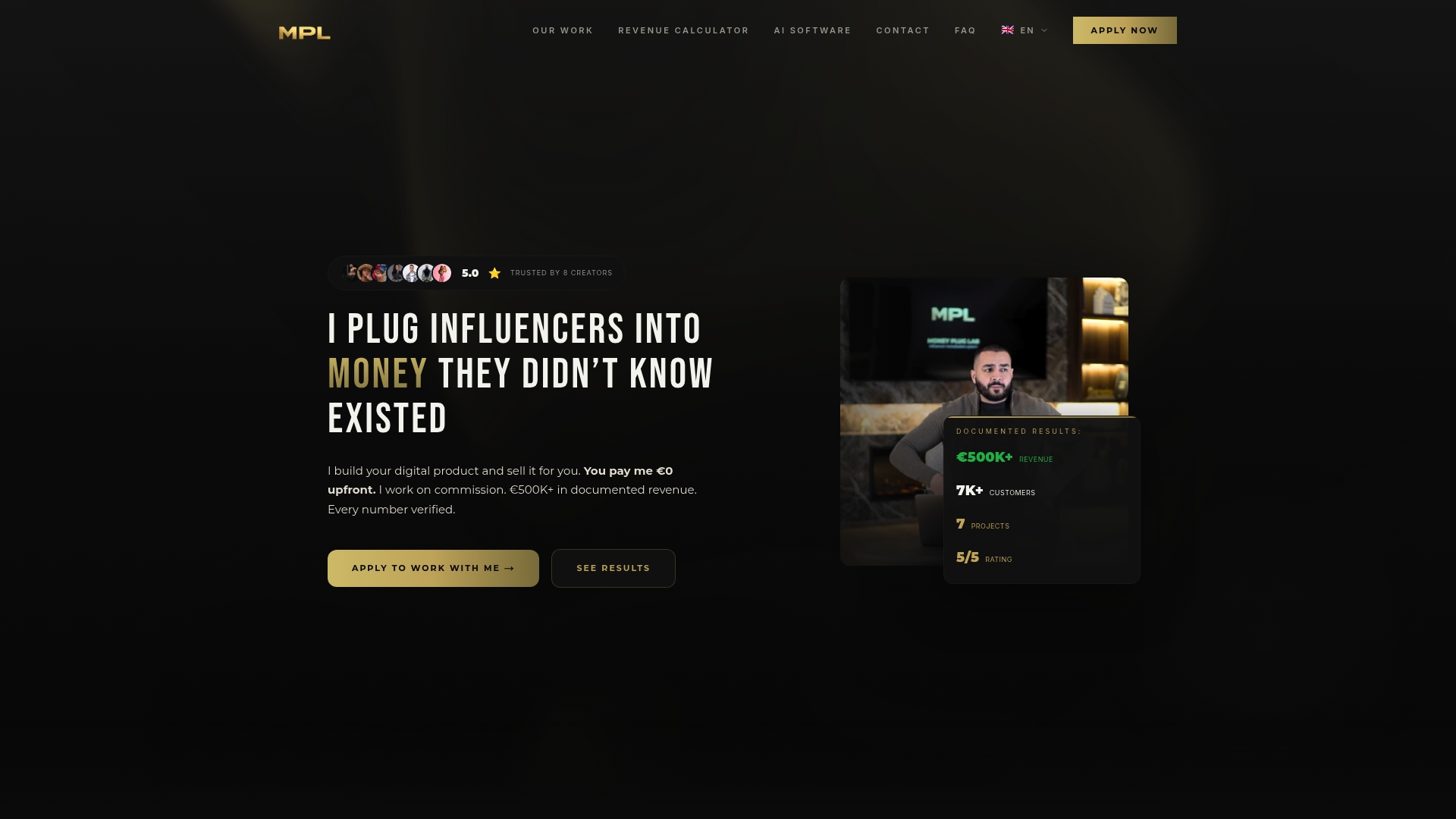
Money Plug™ is the alternative for creators who have an audience and want to turn it into recurring revenue without managing a platform stack themselves. The model is straightforward: no upfront cost, pure revenue share. The agency handles audience research, product architecture, pricing strategy, video sales letters, launch campaigns, and post-production for paid ads. Creators in the Money Plug™ portfolio have generated over $500,000 in tracked revenue across seven launched programs, including one campaign that returned 18x on ad spend.
If you have read this entire guide and your real question is “how do I actually make money from my newsletter?” rather than “which tool should I use?”, that is the conversation Money Plug™ is built for. Visit money-plug.com to learn how the revenue-share model works and whether your audience is a fit.
Useful sources and further reading
These are the primary sources behind the recommendations and data points in this guide. Run the buying-guide checklist against them before committing to any platform.
- G2 reviews: beehiiv — Aggregated user reviews covering support, deliverability, and monetization feature satisfaction.
- G2 reviews: MailerLite — User feedback on ease of use, automation limits, and account approval experiences.
- Capterra: MailerLite — Verified buyer reviews with ratings on value, features, and customer service.
- Money Plug™ | Creator Monetization Systems & Revenue Engineering — Agency landing page describing the revenue-share launch model, creator outcomes, and service scope.
Editorial methodology note: Platform assessments in this guide are based on published pricing pages, independent third-party reviews from G2, Capterra, and specialist newsletter review sites, community discussions on Reddit, and deliverability data published by platforms or cited in long-form independent reviews. No platform paid for placement. Recommendations reflect fit for the stated use case, not affiliate revenue or sponsorship relationships.