Best Webinar Platforms for Creators and Coaches
Best Webinar Platforms for Creators and Coaches

For most creators running paid launches, the three platforms that consistently deliver are Zoom Webinar (large-scale broadcasts), WebinarJam or EverWebinar (evergreen funnels), and Demio (low-friction browser-based events). If you’d rather skip the tech setup entirely, Money-plug’s managed launch model is the faster path to revenue.
Here’s the quick map:
- Solo creator, DIY budget: Demio or ClickMeeting for ease of setup and native payment support
- Evergreen funnel builder: WebinarJam + EverWebinar as a paired stack
- High-attendance broadcast: Zoom Webinar, which supports up to 100,000 viewers in broadcast mode
- Done-for-you launch: Money Plug Lab, which has generated over $500,000 in tracked creator revenue and one launch with more than 3,000 sales in ten days, plus a campaign returning 18x on ad spend
Most professional webinar platforms include branded registration pages, automated email sequences, and Stripe or PayPal integrations. If your platform doesn’t, you’re stitching together a checkout funnel under launch-day pressure. That’s a bad trade.
Table of Contents
- Which webinar platforms are best for paid creator launches?
- How do you set up a paid webinar launch from scratch?
- Money-plug handles the launch so you don’t have to
- Key Takeaways
Which webinar platforms are best for paid creator launches?
| Platform | Best For | Pricing Tier | Max Attendees | Payment & Checkout | Automation / Evergreen | Integrations | Security & Compliance | Ease of Use | Trial / Free Tier |
|---|---|---|---|---|---|---|---|---|---|
| Money Plug Lab | Managed done-for-you launches | Revenue share, no upfront cost | Scales with campaign | Full-service (Stripe, PayPal, custom) | Full launch ops + evergreen setup | CRM, pixels, webhooks, paid ads | Handled by agency | Handled by agency | Discovery call |
| Zoom (Webinar) | Large broadcasts, multi-session events | Mid–High | Up to 100,000 | Via integrations | AI chapters, multi-session | Deep (CRM, Salesforce, HubSpot) | SOC 2, enterprise-grade | Moderate | Free trial available |
| Demio | Browser-based marketing webinars | Mid | — | Via integrations | Automation flows, event series | Zapier, CRM, pixel | Standard | Very easy | 14-day free trial |
| BigMarker | Automation-heavy content funnels | Mid–High | — | Via integrations | Deep automation, content hubs | CRM, Zapier, webhooks | Standard | Moderate | Demo available |
| WebinarJam | Evergreen + live sales funnels | Mid | — | Native + Stripe | Replay, evergreen, panic button | CRM, Zapier, pixels | Standard | Moderate | $1 trial (14 days) |
| EverWebinar | Fully automated evergreen webinars | Mid | Unlimited replays | Native + Stripe | Simulated live, scheduling | CRM, Zapier, pixels | Standard | Easy | $1 trial (14 days) |
| ClickMeeting | Native ticketing, paid events | Low–Mid | — | Native ticketing + discount codes | Automated sequences | Zapier, CRM, pixels | ISO/IEC 27001 | Easy | 30-day free trial |
| CrowdCast | Small creator events, Q&A-driven | Low–Mid | — | Native ticketing | Basic automation | Zapier, basic integrations | Standard | Very easy | Free tier available |
A few things the table doesn’t show:
- Overage fees are the most common hidden cost. Zoom and BigMarker charge per additional attendee block above your plan cap. Budget for 20–30% above your expected registration count.
- Transaction fees on native ticketing (ClickMeeting, CrowdCast) typically run 2–5% per sale on top of payment processor fees. Run the math before assuming native checkout is cheaper than Stripe direct.
- Time to launch readiness varies sharply. Demio and ClickMeeting can be live in under 48 hours for a straightforward paid event. BigMarker’s automation setup realistically takes a week. Zoom requires CRM and pixel configuration that adds 3–5 days for a non-technical creator.
- Customer support is a real differentiator under launch pressure. WebinarJam and EverWebinar offer live chat and email. CrowdCast’s support is community-heavy, which is fine for low-stakes events but not for a $50,000 launch window.
Browser-based platforms like Demio and CrowdCast consistently produce higher join rates because attendees don’t need to download anything. For creators with less tech-savvy audiences, that friction reduction matters more than any feature set.
Treating your webinar platform as a first-party data capture point that feeds CRM nurture flows is how enterprise teams think about this. Creators should too. Every registrant who doesn’t buy on day one is a retargeting asset.

How do you set up a paid webinar launch from scratch?
Getting from account signup to a live, monetized webinar is a sequencing problem as much as a tech problem. Here’s the order that works.
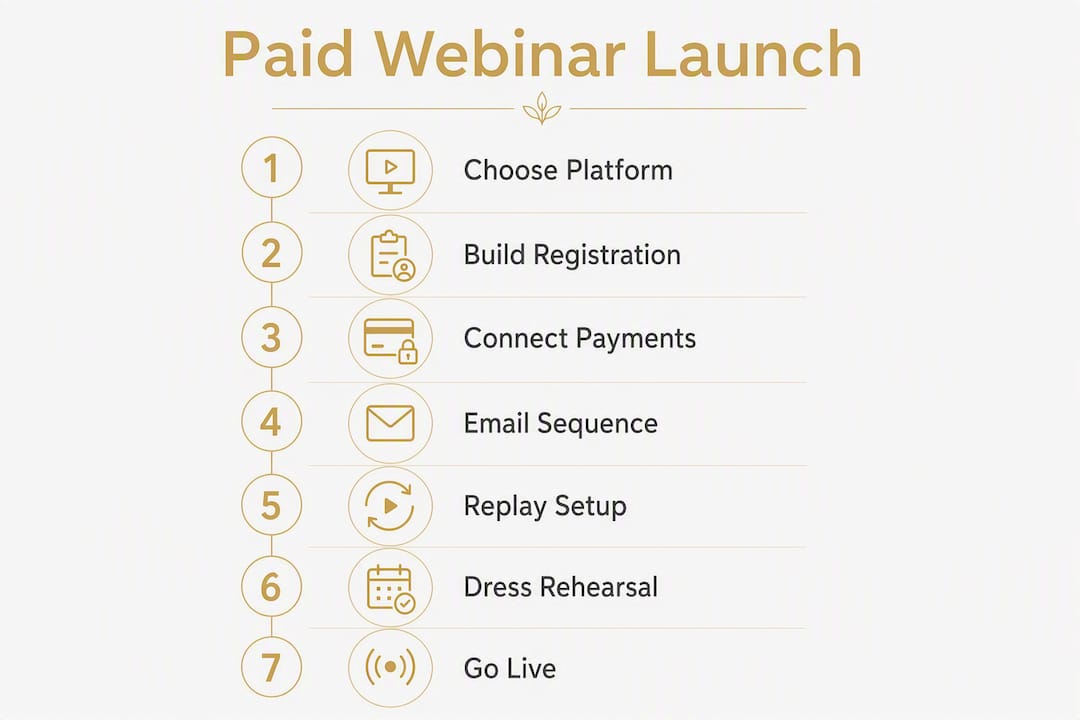
1. Choose your platform and create your account. Match the platform to your use case from the table above. If you’re running evergreen, start with WebinarJam + EverWebinar. If you need native ticketing fast, go ClickMeeting.
2. Build your registration page. Use the platform’s branded registration builder. Capture first name, email, and one qualifying question. Connect your Facebook Pixel and Google Tag Manager before a single registrant lands.
3. Connect payments. Native checkout (ClickMeeting, CrowdCast) is fastest. Stripe or PayPal integrations work on most platforms. Verify security certifications before collecting payment data. PCI compliance covers card transactions; SOC 2 matters if you’re handling enterprise attendee data.
4. Set up your automated email sequence. Minimum: confirmation email, 24-hour reminder, 1-hour reminder, replay link with checkout CTA. Most platforms handle this natively. If yours doesn’t, wire it through Mailchimp, ActiveCampaign, or Klaviyo via Zapier.
5. Configure your replay and on-demand checkout. Replay monetization is where most creators leave money on the table. Set a replay window (24–72 hours), keep the checkout link live, and add urgency via a countdown timer if the platform supports it.
6. Run a full dress rehearsal. Test AV, screen share, poll triggers, and VSL transitions in a private session before going live.
7. Go live, then activate your post-event funnel. Send the replay email within 30 minutes of the event ending. Fire your retargeting pixels on the replay page. Segment non-buyers for a follow-up sequence.
Timeline expectations: An experienced team can be live in 7–14 days. First-time creators should budget 3–6 weeks to get the tech stack, copy, and sequence right without rushing.
Security and privacy checklist before launch:
- PCI-compliant payment processor confirmed
- DPA signed with your platform provider (required for GDPR/CCPA compliance)
- Pixel firing verified on registration and thank-you pages
- SOC 2 or ISO/IEC 27001 certification confirmed if collecting sensitive attendee data
Pro Tip: Run at least two full dress rehearsals with your ad creative, VSL transitions, and sales checkout tested end-to-end before your live event. Backstage mode on Zoom and rehearsal rooms on GoTo Webinar let you do this without exposing anything to your audience.
Money-plug handles the launch so you don’t have to
Self-serve platforms are the right call for creators who have time, technical comfort, and a team. For everyone else, the platform is the smallest part of the problem. The real work is audience research, offer architecture, sales copy, VSL production, and paid ad management. That’s where most launches stall.
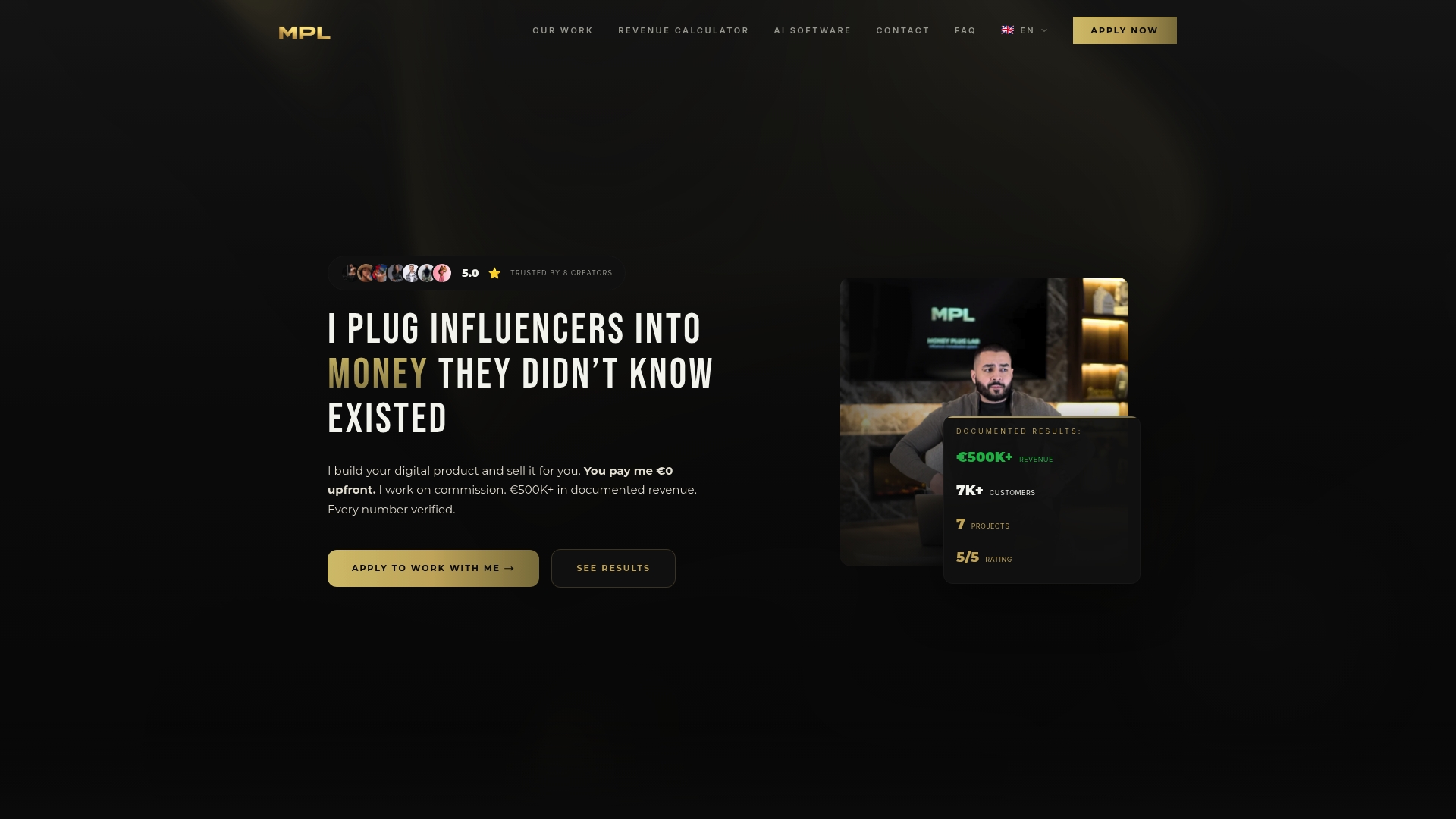
Money-plug runs the entire operation on a revenue-share basis with zero upfront cost. The agency covers audience research, product architecture, pricing strategy, sales copy, video sales letters, payment infrastructure, and paid advertising post-production. Creators who’ve worked with Money-plug have generated over $500,000 in tracked revenue across seven programs, including one launch with more than 3,000 sales in ten days and a campaign that returned 18x on ad spend.
The model works for creators who want a revenue partner, not a vendor. If you’re cost-conscious and want full control, pick a platform from the table above and build it yourself. If you’d rather focus on your content and audience while a team engineers the revenue side, book a discovery call with Money-plug to see if the partnership fits.
Key Takeaways
For paid creator launches, the platform matters less than the funnel, the copy, and the follow-up sequence behind it.
| Point | Details |
|---|---|
| Match platform to use case | Zoom for scale, WebinarJam/EverWebinar for evergreen, Demio or ClickMeeting for fast low-friction launches. |
| Browser-based reduces drop-off | Platforms requiring no download consistently produce higher attendee join rates. |
| Hidden costs add up | Overage fees, transaction percentages, and add-on features can significantly raise your real cost per launch. |
| Security before launch | Confirm PCI compliance, DPA agreements, and pixel setup before collecting payments or attendee data. |
| Money-plug as managed option | Money-plug’s revenue-share model covers full launch ops with $0 upfront and over $500,000 in tracked creator revenue, including one launch with more than 3,000 sales in ten days and a campaign that returned 18x on ad spend. |