Pre Launch Checklist for Creators: Phase-Based Plan
Pre Launch Checklist for Creators: Phase-Based Plan

Run your pre launch checklist now, hold a T‑72h go/no‑go meeting, and flip the switch only when every critical item is green. The checklist breaks into four buckets: product/QA, marketing, payments/operations, and analytics/support. If any bucket has a red item at T‑72h, you delay, not launch.
Here is the compact version to paste into a sprint card or Slack channel right now:
- Lock your Minimum Viable Experience (MVE): every core user flow works end-to-end
- Confirm all P0/P1 bugs are closed in staging
- Verify GA4 events fire and conversion goals register
- Complete a live end-to-end purchase test (real card, real receipt)
- Confirm privacy policy, terms of use, and refund policy are live and linked
- Send a T‑14 warm-up email to your waitlist
- Brief support staff on first-response templates and escalation path
- Run the T‑72h go/no‑go meeting with every functional lead signed off
Table of Contents
- What does your pre launch checklist look like at T‑72h, T‑24h, and T‑0?
- What is the right phase-based timeline from 6 months out to launch day?
- How do you spot-check design and content before launch?
- What does a solid QA plan cover for a digital product launch?
- Which SEO, accessibility, and performance checks should you run before launch?
- How do you set up analytics and event tracking before launch day?
- How do you build a marketing and communications plan for launch?
- Are your sales page, checkout, and payments ready to accept money?
- How do you prepare operations and customer support for launch week?
- What does a launch-day runbook look like hour by hour?
- How do you measure and iterate in the first 30 to 90 days after launch?
- Should you hire an agency or run the launch yourself?
- Key Takeaways
- The part of launch prep most teams skip until it’s too late
- Ready to launch without doing it alone?
- Useful sources
What does your pre launch checklist look like at T‑72h, T‑24h, and T‑0?
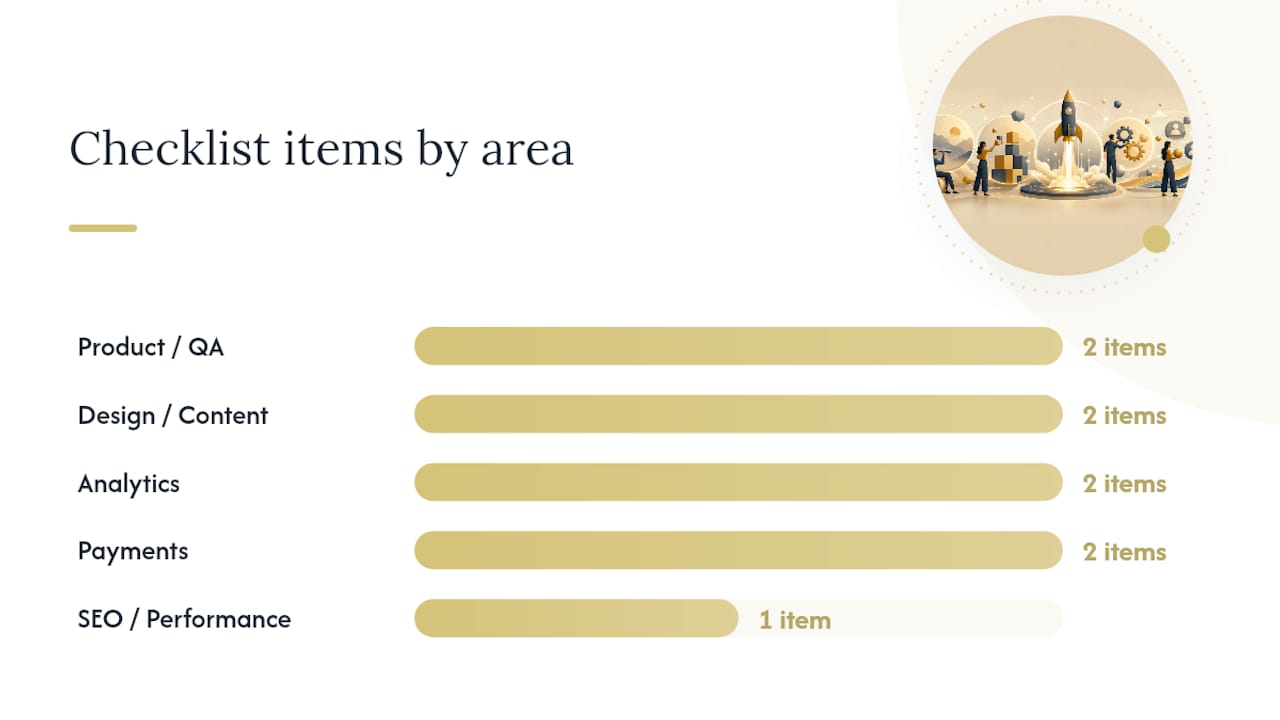
The table below is your one-page printable. Each functional lead signs off on their section before the go/no‑go meeting. Any unchecked item at T‑72h is a red flag that stops the launch.
| Area | Check item | Owner | T‑72h | T‑24h | T‑0 |
|---|---|---|---|---|---|
| Product/QA | All P0/P1 bugs closed | Engineering lead | ☐ | ☐ | ☐ |
| Product/QA | Staging matches production | Engineering lead | ☐ | ☐ | ☐ |
| Design/Content | Landing page copy reviewed, CTAs visible | Design lead | ☐ | ☐ | ☐ |
| Design/Content | 404, privacy, terms, refund pages live | Design lead | ☐ | ☐ | ☐ |
| SEO/Performance | Lighthouse score reviewed, sitemap submitted | SEO owner | ☐ | ☐ | ☐ |
| Analytics | GA4 events validated in staging | Data owner | ☐ | ☐ | ☐ |
| Analytics | UTM links tested across all channels | Marketing lead | ☐ | ☐ | ☐ |
| Payments | End-to-end purchase test passed (real card) | Payments owner | ☐ | ☐ | ☐ |
| Payments | Webhook delivery confirmed | Engineering lead | ☐ | ☐ | ☐ |
| Legal | Privacy policy, ToS, refund policy published | Legal/ops owner | ☐ | ☐ | ☐ |
| Marketing | T‑14 email sent, T‑0 email scheduled | Marketing lead | ☐ | ☐ | ☐ |
| Support | First-response templates loaded, team briefed | Support lead | ☐ | ☐ | ☐ |
| Security | SSL active, backup confirmed | Engineering lead | ☐ | ☐ | ☐ |
T‑0 quick checks (run these in the 15 minutes before you go live):
- Confirm feature flags are in the correct state for production
- Open your real-time GA4 dashboard and confirm it shows live traffic
- Run one final smoke-test purchase and verify the receipt email arrives
- Check your support inbox is open and staffed
- Confirm your rollback plan is documented and the owner is online
To print or export: paste the table into Notion, Google Sheets, or Airtable. Assign each row to an owner and set a due date. At the T‑72h meeting, every owner verbally confirms their column. No verbal confirmation, no green check.
What is the right phase-based timeline from 6 months out to launch day?
A phase-based 90-day framework ties each window to measurable outputs and gate KPIs. The table below applies that logic across the full 6–12 month runway most creator products actually need.
| Phase | Window | Key milestones | Gate criteria to move forward |
|---|---|---|---|
| Discovery | 6–12 months out | Audience research complete, positioning locked, competitor gaps mapped | One-sentence positioning statement approved by all stakeholders |
| Build | 3–6 months out | MVE defined and scoped, landing page live, waitlist open, pricing set | Landing page converting at target opt-in rate; MVE scope frozen |
| Pre-launch | 1–3 months out | Media kit ready, email sequence drafted, paid ad creative in review, QA plan written | All creative assets approved; QA plan has named owners |
| Final prep | 1–4 weeks out | Full QA complete, payments tested, analytics validated, support team briefed | Zero open P0 bugs; all functional leads signed off |
| Launch week | T‑72h to T‑0 | Go/no‑go meeting, canary ramp plan confirmed, rollback owner named | Every checklist row green; rollback criteria documented |
| Launch day | T‑0 | Canary at 1–5%, ramp to 25%, ramp to 100% | Acceptance criteria met at each ramp stage |
| Post-launch | Days 1–90 | Day-1/day-7/day-30 cohort review, bug triage, T+30 retro | North-star metric trending; P0 bugs resolved within SLA |
Mapping tasks to owners: assign every milestone a single named owner, not a team. “Engineering” does not own a deadline; “Alex, engineering lead” does. Use a shared project board (Asana, Linear, or Notion) and set phase gate dates as hard deadlines, not suggestions.
Phase gate acceptance criteria should be written as pass/fail statements: “Landing page opt-in rate meets or exceeds X%” or “Zero P0 bugs open in staging.” Vague criteria like “QA looks good” are how launches slip.
How do you spot-check design and content before launch?
Visual polish and copy accuracy are the two things users notice in the first ten seconds. A misaligned button color or a headline that buries the value proposition will cost you conversions before a single analytics event fires.
Visual consistency checks:
- Brand colors match the approved palette across every page (use a browser color picker to verify hex codes)
- Spacing and typography are consistent: one heading font, one body font, consistent line height
- All images are high-resolution and compressed (WebP format where supported)
- No placeholder text (“Lorem ipsum”) remains anywhere in production
Copy accuracy checks:
- Hero headline communicates the single core benefit in under ten words
- One-sentence positioning statement appears above the fold on the landing page
- Every CTA button uses action language (“Get instant access” beats “Submit”)
- Copy has been proofread by someone other than the writer
Support and utility pages to verify:
- 404 page exists, is branded, and links back to the homepage
- Privacy policy is current, linked in the footer, and covers data collection practices under CCPA
- Terms of use are published and linked at checkout
- Refund policy is visible on the sales page and at checkout, not buried in a footer link
Accessibility and microcopy:
- Color contrast meets WCAG 2.1 AA (minimum 4.5:1 for body text)
- All form fields have visible labels, not just placeholder text
- Validation error messages tell the user what went wrong and how to fix it (“Enter a valid email address” beats “Error”)
- Keyboard navigation moves logically through the page without trapping focus
Pro Tip: Run your landing page through WebAIM’s Contrast Checker and Google’s Lighthouse accessibility audit before T‑72h. Fix contrast failures first — they take minutes and affect every user.
Spot-check flow order: home/landing → pricing → checkout → post-purchase confirmation → welcome email. Walk through each as a first-time visitor with no cached data.
What does a solid QA plan cover for a digital product launch?
QA is not “click around and see if it breaks.” A real test plan has a device matrix, a bug severity classification, and a clear rule about what stops the launch.
Test-plan checklist:
- All P0 bugs (crashes, broken checkout, failed authentication) are closed and verified in staging
- All P1 bugs (broken core flows, missing content, incorrect pricing display) are closed or have an accepted workaround
- Staging environment matches production configuration: same feature flags, same third-party integrations
- Any data migrations have been rehearsed at least once on a staging copy of production data
- Feature flags for launch-day features are validated in both on and off states
Automation suggestions:
Run smoke tests in CI on every merge to the release branch. End-to-end canary scripts (using Playwright or Cypress) should cover the purchase flow, authentication, and the first activation step. These run automatically at T‑24h against staging and again at T‑0 against production before you ramp traffic.

Manual QA matrix:
| Device/browser | Purchase flow | Auth flow | Core content | Forms |
|---|---|---|---|---|
| Chrome / macOS | ☐ | ☐ | ☐ | ☐ |
| Safari / iOS (latest) | ☐ | ☐ | ☐ | ☐ |
| Chrome / Android | ☐ | ☐ | ☐ | ☐ |
| Firefox / Windows | ☐ | ☐ | ☐ | ☐ |
Also verify: empty states (what does the dashboard look like for a brand-new user with no data?), error handling (what happens when a payment fails?), and broken link crawl using Screaming Frog or Ahrefs Site Audit.
Pro Tip: For a typical creator product, four device/browser combinations cover the vast majority of your audience: Chrome on macOS, Safari on iOS, Chrome on Android, and Firefox on Windows. Test those four before adding edge cases.
Which SEO, accessibility, and performance checks should you run before launch?
Technical issues in these three areas affect both search visibility and user experience from day one. The good news: most of them take under an hour to audit.
Performance targets to hit before launch:
- Largest Contentful Paint (LCP) under 2.5 seconds on mobile (Google’s Core Web Vitals threshold)
- Cumulative Layout Shift (CLS) below 0.1
- Time to First Byte (TTFB) under 800ms
- All images compressed and served in WebP or AVIF format
- CDN active for static assets
SEO preflight:
- Every page has a unique title tag (50–60 characters) and meta description (120–155 characters)
- Open Graph tags are set for the landing page and any shareable content pages
- XML sitemap is generated, accurate, and submitted to Google Search Console
- robots.txt is not blocking any pages you want indexed
- Canonical URLs are set correctly, especially if you have staging URLs that could be indexed
Accessibility quick-check:
- All images have descriptive alt text (not “image1.jpg”)
- Keyboard focus order follows the visual reading order
- Screen-reader labels exist for all interactive elements (buttons, links, form fields)
- No content relies solely on color to convey meaning
How to prioritize at T‑72h: fix anything that blocks indexing (robots.txt errors, missing sitemap) and anything that breaks the purchase flow on mobile. Defer cosmetic performance improvements (shaving 200ms off a non-critical asset) to post-launch.
How do you set up analytics and event tracking before launch day?
You cannot make data-informed decisions on launch day if your tracking is not validated before you go live. The goal is a real-time dashboard that shows acquisition, key conversion events, and failure signals from minute one.
Event list template:
| Event name | Trigger | Owner | Priority |
|---|---|---|---|
| page_view | Every page load | Data owner | P0 |
| cta_click | Primary CTA button click | Data owner | P0 |
| checkout_start | User reaches checkout page | Data owner | P0 |
| purchase_complete | Successful payment confirmation | Data owner | P0 |
| checkout_error | Payment failure or form error | Data owner | P1 |
| email_signup | Waitlist or newsletter opt-in | Marketing lead | P1 |
| video_play | Demo or VSL video started | Marketing lead | P2 |
Sample UTM tagging plan:
| Channel | utm_source | utm_medium | utm_campaign |
|---|---|---|---|
| Launch email | launch_day | ||
| Instagram organic | social | launch_day | |
| Paid Meta ads | meta | paid_social | launch_day |
| Press/PR | press | referral | launch_day |
Debug checklist before launch:
- Fire every event in staging and confirm it appears in GA4’s DebugView
- Validate that purchase_complete fires exactly once per transaction (no duplicate events)
- Confirm UTM parameters pass through to the thank-you page and appear in GA4 acquisition reports
- Set up a real-time dashboard in GA4 or Looker Studio showing active users, CTA clicks, and purchase_complete events
Guardrail metrics to watch on launch day: checkout abandonment rate (a sudden spike means a payment or UX issue), purchase_complete event volume vs. your forecast, and checkout_error rate. If checkout_error spikes above your baseline, investigate immediately.
How do you build a marketing and communications plan for launch?
The 14-day pre-launch window and the first three hours of launch day determine the outcome more than anything else. Front-load your supporters and warm your list before you ask anyone to buy.
Core messaging to lock before any asset goes live:
- One-sentence positioning: “[Product] helps [audience] achieve [outcome] without [pain point].”
- Hero headline: benefit-first, under ten words
- Subhead: one sentence expanding on the mechanism or proof
- Primary CTA: one action, one button, no competing links above the fold
Pre-launch email sequence:
- T‑14: “Something is coming” teaser. Subject: “I’ve been working on something for you.” Body: hint at the problem you solve, no product reveal yet.
- T‑7: Value email. Subject: “The real reason [pain point] keeps happening.” Body: teach one insight, soft mention that a solution is coming.
- T‑3: Early access or bonus reveal. Subject: “Early access closes in 72 hours.” Body: reveal the product, price, and one time-limited bonus.
- T‑1: Urgency reminder. Subject: “Last chance before we open the doors.” Body: recap the offer, remove objections, strong CTA.
- T‑0: Launch email. Subject: “We’re live — here’s your link.” Body: direct link, social proof if available, deadline if applicable.
Asset checklist:
- Demo video or VSL (video sales letter): 60–90 seconds for social, 3–5 minutes for the sales page
- Screenshots or product mockups: minimum three, showing the core use case
- Press kit: one-paragraph product description, founder bio, high-resolution logo, and two to three key stats
- First comment/maker copy for Product Hunt or community posts: written and saved, not improvised
Channel timeline: email and organic social run T‑14 through T‑0. Paid ads launch at T‑3 to T‑0 to maximize spend efficiency. PR outreach goes out at T‑7 so journalists have lead time.
Are your sales page, checkout, and payments ready to accept money?
A broken checkout on launch day is not a minor inconvenience. It is lost revenue and a support crisis running simultaneously. Test every step of the purchase path with a real card before T‑72h.
End-to-end purchase test checklist:
- Correct price displays on the sales page and at checkout (no test-mode pricing visible)
- Coupon codes apply correctly and the discounted total is accurate
- Billing cycle (one-time vs. subscription) is clearly stated before the user enters card details
- Receipt email arrives within two minutes of purchase and contains the order total, product name, and support contact
- Webhook fires and your fulfillment system (course access, download link, community invite) triggers correctly
Payment processor checklist (Stripe, PayPal, or equivalent):
- Test mode is disabled in production
- Webhook endpoints are registered and returning 200 responses
- Subscription renewal logic has been tested with a shortened billing cycle in test mode
- Failed-payment flow sends a dunning email and does not immediately revoke access
Legal and compliance for U.S. launches:
- Privacy policy covers data collection, storage, and user rights under CCPA (California Consumer Privacy Act)
- Terms of use are published and users must affirmatively accept them at checkout (a checkbox, not a buried footer link)
- Refund policy states the timeframe and process clearly — vague policies generate chargebacks
- Receipts include the seller’s legal business name, transaction date, and amount charged
What can wait until post-launch: advanced tax logic for non-U.S. customers, multi-currency display, and affiliate tracking setup can be deferred if they are not blocking U.S. sales. Everything in the checklist above cannot.
How do you prepare operations and customer support for launch week?
Support volume on launch day is always higher than you expect. The teams and processes that handle new users determine whether day-one buyers become long-term customers or chargebacks.
Support playbook:
- First-response templates cover: purchase confirmation questions, access issues, refund requests, and technical errors
- Escalation path is documented: tier-1 (support agent) → tier-2 (product owner) → tier-3 (engineering) with response time targets
- SLA for launch week: P0 issues (no access after purchase) resolved within two hours; P1 issues (feature broken) within 24 hours
Onboarding checklist:
- Welcome email sends automatically within five minutes of purchase and includes the single most important first step
- Quick-start guide covers the first three actions a new user should take (not a 40-page manual)
- Activation metric is defined: what does a “activated user” look like at 24 hours? Track it from day one.
Staffing and channel strategy: for a creator product launch, live chat or a dedicated Slack/Discord channel handles real-time questions better than email alone during the first 48 hours. Capture early feedback in a shared doc or Notion page so the product team sees it immediately.
What does a launch-day runbook look like hour by hour?
A documented launch runbook with explicit acceptance criteria is what separates a controlled launch from a chaotic one. Every person on the team should know their role before T‑0.
Pre-flight (T‑15 to T‑0):
- Confirm all feature flags are in the correct production state
- Run the canary smoke test against production (purchase flow, auth, core content)
- Verify real-time GA4 dashboard is live and showing data
- Confirm support team is online and first-response templates are loaded
- Confirm rollback owner is online and rollback procedure is documented
Canary ramp:
- 1–5% traffic: run for 15–30 minutes. Acceptance criteria: error rate below baseline, checkout_complete events firing, no P0 alerts.
- 25% traffic: run for 30–60 minutes. Acceptance criteria: conversion rate within 20% of forecast, no payment failures, support queue manageable.
- 100% traffic: full launch. Monitor guardrail metrics for the first three hours continuously.
Use the T‑5/T‑2/T‑0 cadence and schedule a post-launch retro within five business days to capture what worked and what did not while it is still fresh.
Rollback triggers: roll back immediately if checkout is broken for more than 10% of users, if a data loss bug is confirmed, or if the error rate exceeds three times your baseline for more than five consecutive minutes. The rollback owner makes this call, not a committee.
Communication templates:
- Outage announcement: “We are aware of an issue affecting [feature]. Our team is actively working on a fix. We will update you by [time].”
- Refund announcement: “If your purchase was affected, reply to this email and we will process a full refund within [X] business days.”
Shared channel etiquette: one dedicated Slack channel for launch monitoring. Status updates every 30 minutes from the engineering lead. No off-topic messages during the ramp window.
How do you measure and iterate in the first 30 to 90 days after launch?
The launch is not the finish line. The phase-based 90-day framework maps day-1, day-7, and day-30 cohort reviews to gate KPIs that tell you whether the product is working or needs adjustment.
Metrics dashboard checklist:
- North-star metric defined (e.g., “activated users at day 7”) and tracked daily
- Guardrail metrics set: churn rate, refund rate, checkout abandonment rate
- Day-1 cohort: did users complete the activation step?
- Day-7 cohort: are users returning and engaging with core content?
- Day-30 cohort: what is the retention rate and average revenue per user?
Bug triage template:
- P0 (service down, data loss, broken purchase): fix and deploy within two hours, communicate to affected users immediately
- P1 (core flow broken, major UX failure): fix within 24 hours, communicate within four hours
- P2 (minor UX issue, cosmetic bug): schedule in next sprint, no user communication required
Iteration cadence: quick fixes (P0/P1) go straight to production. Everything else enters a weekly sprint review. Schedule a T+30 retrospective with the full team to review what the data shows, what users reported, and what changes to prioritize next.
Communication plan for customers: send a “what we’ve improved” email at day 14 and day 30. Users who see active improvement are significantly less likely to request refunds.
Should you hire an agency or run the launch yourself?
The honest answer depends on four variables: capacity, skill gaps, timeline, and risk tolerance.
Decision checklist:
- Capacity: does your team have 20+ hours per week available for launch prep over the next 60–90 days? If not, something gets cut, and it is usually marketing or QA.
- Skill gaps: do you have in-house expertise in paid advertising, VSL production, and payment infrastructure setup? All three together are rare on a small creator team.
- Timeline: are you launching in under 60 days? Compressed timelines amplify every skill gap.
- Risk tolerance: what is the cost of a failed launch? For a creator with an engaged audience, a poor launch can damage trust that took years to build.
What a good agency delivers:
- Audience research and positioning before a single asset is built
- Video sales letter (VSL) production and sales copy
- Payment infrastructure setup and webhook testing
- Launch campaign execution across email and paid channels
- Post-launch optimization based on real conversion data
Sample engagement milestones: week 1 (audience research and positioning brief), week 2–3 (VSL and sales page copy), week 4 (payment setup and QA), week 5–6 (campaign execution and launch).
What to ask any agency before signing:
- What does your launch process look like from brief to T‑0?
- Can you show me conversion data from a comparable launch?
- What is your fee structure, and what happens if the launch underperforms?
Pro Tip: Ask for a sample launch brief and a sample post-launch report before you commit. An agency that cannot produce both quickly is telling you something about how they actually work.
Key Takeaways
A successful launch requires every functional area — product, marketing, payments, analytics, and support — to be green before you flip the switch, with a documented go/no‑go meeting at T‑72h as the final gate.
| Point | Details |
|---|---|
| Phase gates prevent surprises | Lock positioning, MVE, and landing page before entering final prep; vague criteria cause slippage. |
| T‑72h sign-off is non-negotiable | Every functional lead confirms their checklist section; any red item delays the launch. |
| Analytics must be validated before launch | Fire every conversion event in staging and confirm UTM parameters pass through to GA4. |
| Test payments with a real card | Run an end-to-end purchase test, verify webhook delivery, and confirm the receipt email arrives. |
| Money-plug handles the full launch stack | From audience research and VSL production to payment setup and campaign execution, on a revenue-share basis with no upfront cost. |
The part of launch prep most teams skip until it’s too late
The checklist items that get skipped are almost never the obvious ones. Nobody forgets to build the product. What gets skipped is the work that happens in the 14 days before launch: warming the list, briefing support, validating analytics, and testing the purchase flow on a real device with a real card.
The pattern is consistent across launches. Teams spend months on the product and 48 hours on the launch. Then they wonder why the conversion rate is low, the support inbox is on fire, and the analytics dashboard shows nothing useful. The checklist in this article is structured specifically to prevent that. The T‑72h go/no‑go meeting is not bureaucracy. It is the moment where every assumption gets tested against reality before real customers are affected.
One more thing worth saying plainly: a launch is not a single event. It is the first data point in a longer measurement cycle. The teams that treat day one as the beginning of a 90-day iteration loop consistently outperform the ones that treat it as the finish line.
Ready to launch without doing it alone?
Money-plug is the alternative to building a launch team from scratch. Instead of hiring separately for audience research, VSL production, sales copy, payment infrastructure, and paid advertising, you get one team that handles the entire launch stack, on a pure revenue-share basis with zero upfront cost.
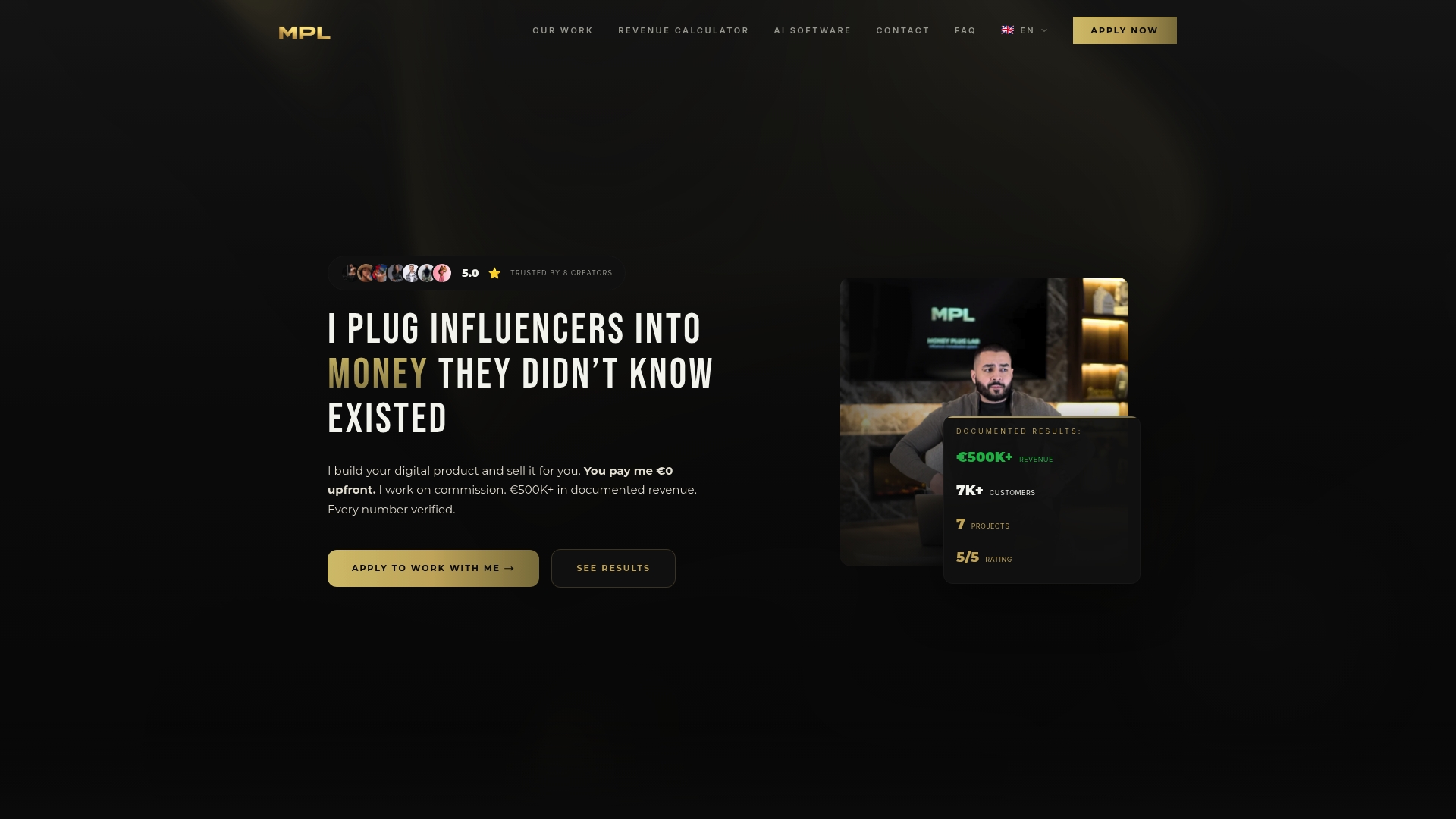
The creators Money-plug has worked with have generated significant tracked revenue across multiple launched programs, including some with thousands of sales in a short period and campaigns with strong returns on ad spend. That is not a pitch. It is what a well-executed launch looks like when every item on the checklist above is handled by people who have done it before.
If you are a creator, coach, or course builder with an engaged audience and a product ready to launch, the next step is a discovery call. Bring your launch timeline, your audience size, and your revenue goal. Money-plug will tell you honestly whether the fit is right and what the engagement would look like.
Book a discovery call and find out what your launch could generate.
Useful sources
These resources back the frameworks and templates in this article. Each one is worth bookmarking for your launch prep folder.
- Product launch checklist: How to ensure a successful launch
- Launch Readiness Checklist — Free Template
- The Ultimate 3-Tier Pre-Launch Checklist for Startups
- Launch Readiness Checklist — Free 24-Item PDF | MindBacklog
- Product Launch Strategy: The 90-Day Framework Behind $1.2M+
- Product Launch Checklist 2026: 40 Tasks + Free Template
- Money Plug™ | Creator Monetization Systems & Revenue Engineering