Yes, You Can Sell Courses and Coaching on TikTok Live
Yes, You Can Sell Courses and Coaching on TikTok Live

Yes, you can sell courses, coaching, and paid communities on TikTok Live, but not through TikTok Shop. You do it by pointing viewers to an external checkout or booking flow while your live runs on a repeating engagement loop. Before you go live, you need five things locked in: a specific offer with a clear price, a bio link that leads straight to checkout or booking, a comment keyword that triggers automated DMs, a 45 to 60 second script you can repeat all stream, and a small warm audience already primed to show up. Skip any one of these and you’re improvising in front of strangers.
Money Plug Lab has tracked this playbook across seven creator launches, generating over $500,000 in tracked revenue, including one launch that hit more than 3,000 sales in ten days.
- Define one offer, one price, one call to action
- Bio link goes to checkout or a booking page, not your profile
- Set a comment keyword that auto-DMs a purchase link
- Write a 45 to 60 second loop script and rehearse it
- Warm up at least 50 to 100 engaged followers before you press “Go Live”
Key Takeaways
TikTok Live sells courses, coaching, and communities effectively only when a clear offer meets a low-friction external checkout, not when creators rely on TikTok Shop or vague pitches.
| Point | Details |
|---|---|
| Skip TikTok Shop for digital goods | Use a link-in-bio storefront or booking page instead to avoid fulfillment fraud flags. |
| Script a repeating loop | Run a 45 to 60 second hook, demo, proof, and CTA cycle so every joiner sees your offer. |
| Warm up before going live | Run a 72-hour teaser cascade to avoid a cold-start audience and weak algorithm signals. |
| Segment your follow-up | Treat cart adders, long watchers, and commenters differently in the 24 to 72 hours after the live. |
| Consider a managed launch partner | Money-plug builds the offer, funnel, and ad system on revenue share, with launches producing results like 3,000+ sales in ten days. |
Table of Contents
- How Do You Turn Your Skill Into an Offer TikTok Viewers Will Buy?
- What Setup Steps Keep Your TikTok Account Compliant?
- What’s the Exact Script Structure for a TikTok Live Sales Stream?
- Which Checkout Funnel Should You Use for Coaching vs. Courses?
- How Do You Avoid a Cold Start on Live Day?
- How Should You Track and Follow Up After the Live Ends?
- How Money-plug Builds Your TikTok Live Sales Engine for You
- Frequently Asked Questions
- Sources
How Do You Turn Your Skill Into an Offer TikTok Viewers Will Buy?
A vague offer kills conversion on live. “Fitness coaching” doesn’t sell. “Lose 10 pounds in 6 weeks with daily check-ins” does. Write your offer as a one-line transformation: who it’s for, what changes, and how long it takes.
- Name the buyer (“busy moms,” “new personal trainers,” “aspiring bakers”)
- State the outcome in concrete terms, not feelings
- Attach a timeframe, even a rough one
- Test the line out loud. If it takes longer than one breath, cut it
Once the offer is clear, build a three-tier ladder so viewers can self-select instead of asking you to explain pricing mid-stream.
- Starter: Digital guide or short course, low price point, self-serve
- Pro: Course plus group coaching or a community, mid price point
- Elite: 1:1 coaching or done-with-you support, premium price point
Price the top tier first in your head, then discount down. Anchoring high makes the middle tier feel like the obvious choice, which is exactly why most sales land there. On the checkout page itself, answer the three questions buyers actually have before they abandon cart: what’s included, what’s the refund or licensing policy, and how long is access good for.
Pro Tip: Put your refund policy on the checkout page, not buried in an email after purchase. Uncertainty about refunds is one of the top reasons live viewers hesitate to buy on impulse.
What Setup Steps Keep Your TikTok Account Compliant?
TikTok Shop exists for physical goods with tracked shipping. Listing a digital course or coaching package as a shippable item risks getting flagged for fulfillment fraud and can get your seller account suspended. For digital products, TikTok Series is the native option worth exploring, since it’s built for gated digital content. But most creators still run their real checkout off-platform.
Before your first live, confirm your setup with one of the top courier platforms for businesses to ensure smooth logistics integration.
- Your link-in-bio storefront (Stan Store, Gumroad, or Shopify) is live and tested on mobile
- Terms of use and license language are visible on the product page, not just in a footer link
- Checkout supports one-click or saved-payment options
- You’ve sent yourself a test purchase to confirm the deliverable actually arrives
Clear license terms up front, meaning exactly what a buyer can and can’t do with your course or content, cuts down on refund requests and confused DMs after the sale.
What’s the Exact Script Structure for a TikTok Live Sales Stream?
Viewers join and leave constantly during a live, so a single long pitch only reaches whoever happens to be watching at that moment. The fix is a repeating loop, short enough to run dozens of times per hour, that always leads back to your offer.
- Hook (6 to 9 seconds): A question or bold claim that stops the scroll
- Demo or value (12 to 18 seconds): Show the skill, the result, or a quick teaching moment
- Social proof or tip (20 to 30 seconds): A testimonial, before/after, or genuinely useful nugget
- CTA (5 to 7 seconds): Tell viewers exactly what to do: comment a keyword or tap the bio link
Rotate your CTA wording every few loops so it doesn’t sound like a recording, and cue a moderator to pin the offer comment near the top of the chat. When someone comments your trigger word, an automated DM should fire back instantly with the checkout link. That combination does double duty: it drives the comment volume that TikTok’s algorithm rewards early in a live, and it removes the friction of someone hunting for your bio link mid-scroll.
Reveal your price early rather than teasing it for twenty minutes. Anchor it against the value you just demonstrated, then use a real, time-boxed discount (“first 10 people who buy in the next 15 minutes”) instead of a fake countdown that resets every stream. Viewers remember when urgency is manufactured, and it costs you trust on the next live.
Pro Tip: Balance selling with actual entertainment or teaching. Streams that only pitch lose viewers fast; streams that mix in real value keep people watching long enough to see the CTA more than once.
Which Checkout Funnel Should You Use for Coaching vs. Courses?
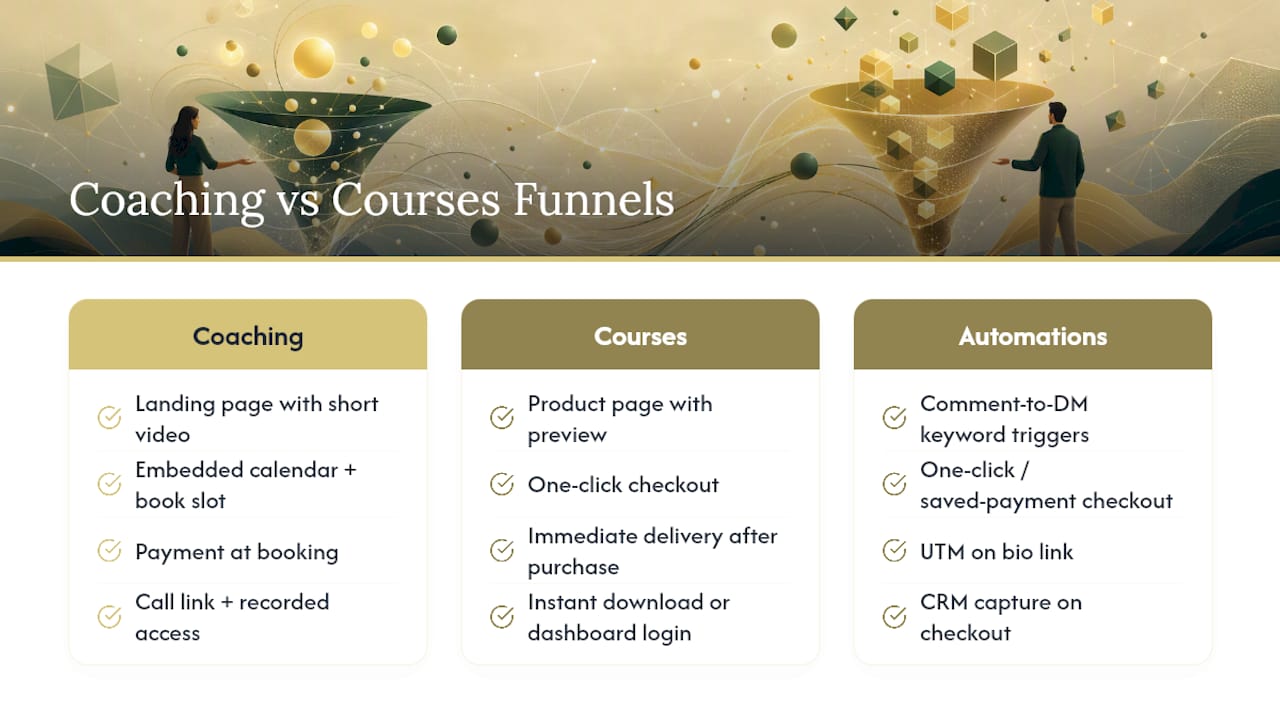
Coaching and courses need different funnels, because one sells a slot and the other sells a file.
Booking funnel (coaching): Bio link leads to a landing page with a short video, an embedded calendar, and payment collection at the point of booking. Confirmation email includes the call link and any recorded session access.
Instant-download funnel (courses): Bio link leads to a product page with a sample or preview, one-click checkout, and immediate delivery, either by email or a protected dashboard login.
Both funnels convert better with a few automations running in the background. Comment-to-DM tools handle the keyword triggers during your live. One-click or saved-payment checkout removes the biggest source of cart abandonment. UTM parameters on your bio link let you see exactly how many live viewers actually clicked through, and a basic CRM capture on the checkout form gives you a list to follow up with anyone who didn’t finish buying.
Most creators run these through Stan Store, Gumroad, or Shopify, since none of the three require custom development to launch a working funnel in a day.
How Do You Avoid a Cold Start on Live Day?
An empty room in the first five minutes tanks your distribution before you’ve said a word. The fix is a 72-hour promotion cascade that builds anticipation instead of announcing the live cold.
- 72 hours out: Post a mystery teaser hinting at what you’re revealing
- 48 hours out: Share a behind-the-scenes clip building curiosity
- 24 hours out: Post a direct invite with a clear RSVP or follow prompt
- Day of: Send reminders through Stories, comments, and any DM list you’ve built
- Ask followers to comment “IN” or similar to confirm they’ll show up
- Line up a moderator or collaborator to seed chat activity in the first minute
- Encourage viewers to tap the live reminder bell, not just follow
If a teaser post is underperforming 24 hours out, that’s the moment to consider boosting it or running a small Spark Ads push, not after the live has already started cold.
How Should You Track and Follow Up After the Live Ends?
The live ending isn’t the end of the sale. Segment your audience into tiers and follow up differently for each one.
- Cart adders who didn’t finish: Message within 24 hours with a direct link and a light nudge
- Long watchers (75%+ of the stream): Retarget within 48 hours with a clip of your best moment
- Engaged commenters: Reply individually or add to a warm list for your next live
- New followers: Welcome sequence introducing your offer within 72 hours
Clip your single best conversion moment, the point where the room reacted or a testimonial landed, and turn it into a Spark Ad or a standalone FYP post. That short clip can outperform a full replay for retargeting high-intent viewers who didn’t buy the first time.
| Metric | What it tells you |
|---|---|
| View-to-click rate | How many live viewers actually tapped your bio link |
| Click-to-purchase rate | Whether your checkout page is converting or leaking |
| Cost per acquisition | What each buyer costs if you ran any paid boost |
| ROAS on boosted posts | Whether the ad spend on teasers or clips paid off |
What We’ve Learned Running Live Launches for Creators
The single biggest lesson across seven launches: offer clarity and checkout friction decide the outcome more than the live itself. Creators who cut their offer to one line and removed a single checkout step consistently outsold those with flashier streams and confusing pricing. Revenue follows clarity, not production value.
How Money-plug Builds Your TikTok Live Sales Engine for You
Running this whole system alone, offer design, script writing, funnel setup, promotion cadence, retargeting, is a full-time job on top of actually creating content. Money-plug is the alternative to doing it solo: we build the entire monetization engine around your audience on a pure revenue-share basis, meaning you pay nothing upfront and only share revenue on what actually sells.
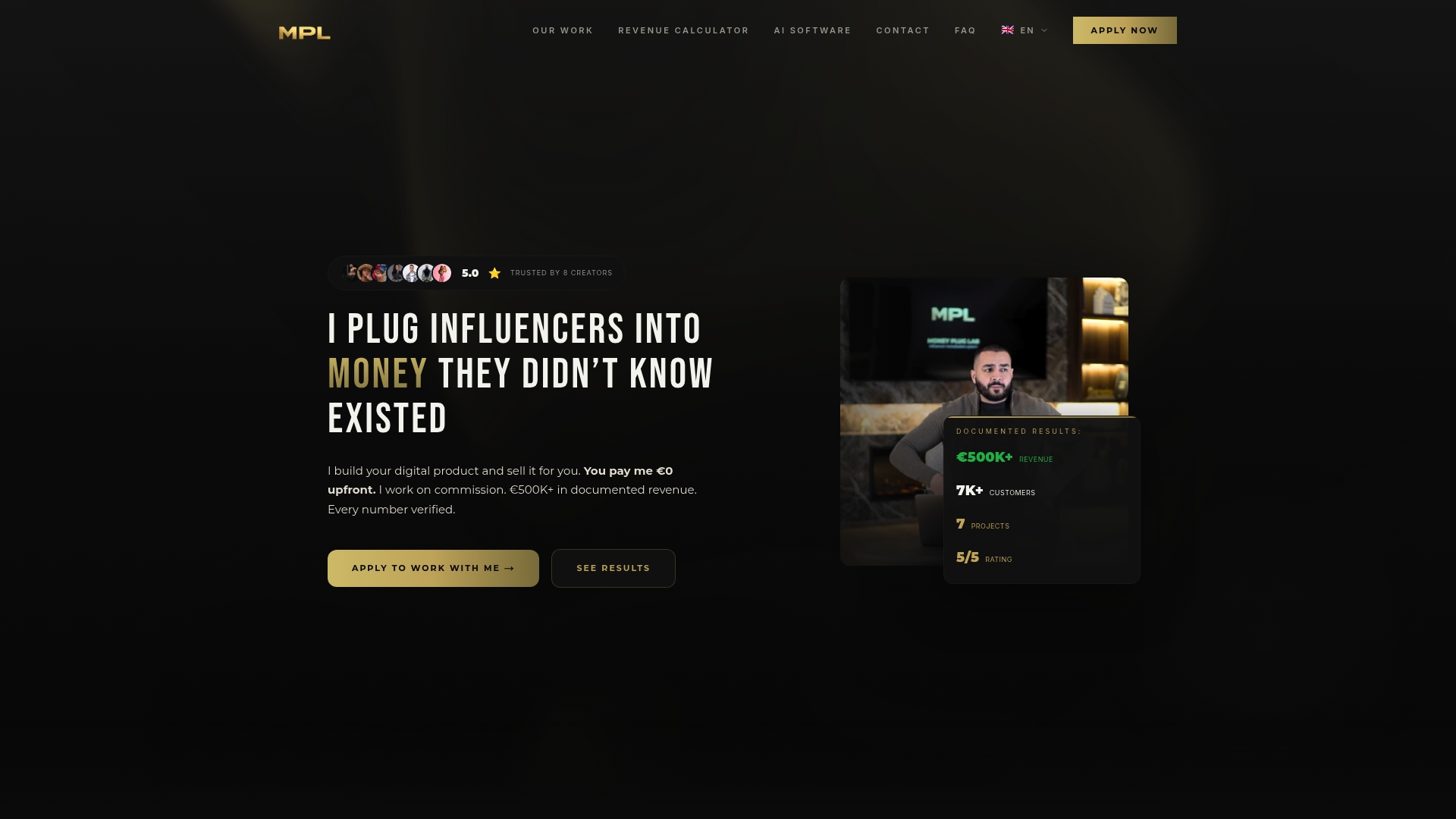
Our scope covers audience research, product architecture, sales copywriting, launch campaigns, and the payment infrastructure that sits behind your bio link. If you’re already posting consistently and have an audience that engages, but you don’t have time to build and manage the ad side, the checkout funnel, and the launch calendar yourself, that’s exactly when a managed partner earns its keep over DIY.
If you want a serious look at what a launch could generate for your audience, start with Money Plug Lab and get a plan built around your niche.
Frequently Asked Questions
Can you actually sell digital products directly through TikTok Shop?
TikTok Shop is built for physical goods with tracked shipping, so listing a course or coaching package there risks a fulfillment fraud flag and possible account suspension. Most creators route sales through an external storefront instead.
What’s the best way to price a course sold during a TikTok Live?
A three-tier ladder (Starter, Pro, Elite) works better than a single price point because it lets different viewers self-select based on budget and commitment level, which usually lifts total revenue per live.
How long should a TikTok Live sales stream run?
Length matters less than structure. A repeating 45 to 60 second loop means viewers who join at minute 3 or minute 30 both see your hook, demo, proof, and call to action within the first minute of watching.
Do I need Spark Ads to make TikTok Live selling work?
No, but they help. Organic reach plus a warm pre-live audience can carry a launch on its own; Spark Ads become valuable for retargeting viewers who watched but didn’t buy, using a clipped moment from the live itself.
What happens if a buyer disputes a charge from my digital product?
Clear license and refund terms visible on the checkout page before purchase reduce disputes significantly. Keep purchase confirmations, delivery timestamps, and access logs so you can respond quickly if a dispute is filed.
Sources
- The Architecture of a TikTok Shop Live-Stream Funnel: How Top Sellers Engineer Viewers Into Buyers