Agency Ready Launch Calendar Planning with 6–8 Week Templates
Agency Ready Launch Calendar Planning with 6–8 Week Templates

A launch calendar is an operating system that schedules deliverables, assigns owners, and embeds decision rules so launches scale predictably. For creators working with an agency, it must show every date, who owns each task, the checkpoints where a decision gets made, and buffer days for the inevitable slip. Get those five pieces right and the templates below will do most of the heavy lifting.
TL;DR:
- Building a launch calendar requires including specific deliverables, owners, checkpoints, and buffer days, not just listing dates without context.
- A realistic runway length of 6 to 8 weeks is optimal for most launches, with shorter options available for warm audiences, but buffer days are crucial for avoiding last-minute issues.
- Attaching explicit decision rules to key metrics like email click-through rate, landing page conversion, and checkout completion helps teams respond quickly to problems.
- A shared, version-controlled calendar with clear owner responsibilities and weekly checkpoints reduces coordination failures and live crisis management.
- An agency can fully manage the launch process on a revenue-share basis, handling everything from asset creation to execution, allowing the creator to focus on approval and strategy.
Table of Contents
- What Goes Into Launch Calendar Planning (And Why It Matters)
- How to Build a Launch Timeline That an Agency Can Run
- What QA and Operations Tasks Belong on the Calendar
- Which Metrics Should Trigger a Calendar Decision?
- How to Run a Post-Launch Debrief That Improves the Next Launch
- Common Pitfalls in Launch Calendar Planning
- Coordination Strategies for Cross-Functional Launch Teams
- Tools and Software for Managing a Launch Calendar
- Agency Perspective: Where the Handoff Actually Happens
- Let an Agency Own Your Launch Calendar Execution
- Sources
- FAQ
What Goes Into Launch Calendar Planning (And Why It Matters)
A calendar that only lists dates is not a launch calendar. It is a wish list. The version that actually works pairs every date with a deliverable, an owner, a checkpoint, and a buffer, so nothing depends on memory or luck during launch week.
Most agency-run launches organize the work into four buckets:
- Product build: curriculum, modules, community setup, and delivery infrastructure
- Launch marketing: emails, ads, landing pages, and content that drives to the cart
- Live event: webinars, workshops, or challenges that warm up buyers before cart open
- Operations: payment setup, tracking, support workflows, and QA
Those buckets sit inside a five-phase timeline: audience building, pre-launch, launch event, open cart, and delivery. This structure is not a stylistic choice. A phased sequence shifts most of the work into the weeks before cart open, which is exactly what makes a launch repeatable instead of a one-time scramble. Skip the phasing and you end up rebuilding the plane while it’s already in the air.
How to Build a Launch Timeline That an Agency Can Run
Start from the launch date and work backward. That single habit prevents more launch chaos than any tool or template ever will, because it forces every task to earn its place on the calendar based on when it actually needs to happen, not when it feels convenient to do it.
Three runway lengths cover almost every situation a creator or agency will face:
- The 6 to 8 week runway. Weeks 1 to 2 lock the offer, pricing, and product structure. Weeks 3 to 4 build assets: sales page, email sequences, ad creatives, and the live event script. Weeks 5 to 6 run the pre-launch content sequence and open the waitlist. The final week is cart open, with delivery tasks starting the moment payment clears. A six to eight week runway gives enough room for production and marketing to happen in parallel without collapsing into a last-minute sprint.
- The 4-week compressed calendar. This works only for a warm, engaged audience. Week 1 combines offer lock and asset build. Week 2 is the live event and waitlist push. Week 3 is cart open. Week 4 is delivery and immediate debrief. There is no slack here, so QA has to happen in parallel with asset production, not after it.
- The 7, 14, or 21 day intensive window. Built for creators re-launching a proven offer to an existing list. Day 1 to 3 is the teaser sequence. Day 4 to 6 is the live event. The remaining days are cart open and close. These short windows depend entirely on assets that are already built. Nobody writes a sales page during a 7-day launch.
Whichever runway you use, build in buffer days before every irreversible milestone: cart open, live event day, and the final cart-close email. Two buffer days before cart open catches broken checkout links before they cost you sales, not after.
When a task slips, and something will, hold anything customer-facing (emails, live events, cart open date) and push anything internal (asset polish, secondary automation, analytics dashboards). The offer itself has to be locked before marketing tasks even start, because reworking pricing or packaging mid-calendar cascades into every downstream deadline.
Pro Tip: Write every calendar item as a deliverable with a name attached, like “publish landing page for review, owner: [name], due Tuesday,” instead of a vague task like “work on landing page.” Vague tasks are the number one reason agency handoffs fall apart.
What QA and Operations Tasks Belong on the Calendar
Launch day is the wrong time to discover the checkout page is broken. Every agency-run calendar needs a dedicated QA pass scheduled 48 to 72 hours before cart open, not the morning of.
The checklist that actually catches problems:
- Checkout flow: run a full purchase test end-to-end, confirm the confirmation email fires, and verify access delivery actually grants entry to the product or community
- Tracking: check UTMs on every link, confirm conversion events fire in ad platforms, and cross-check analytics against a manual test purchase
- Support: canned replies drafted for the five most common questions, a clear escalation path for refund requests, and a response-time commitment the team can actually hit
- Assets: landing page live and mobile-tested, full email sequence loaded and scheduled, and every creative asset approved before the first send
Building this into the calendar as an explicit checklist rather than a mental note is what separates launches that run smoothly from launches that generate a flood of angry support tickets on day one.
Which Metrics Should Trigger a Calendar Decision?
A calendar without decision rules is just a schedule of hope. The fix is simple: attach a specific metric and a specific action to each checkpoint, so nobody has to debate what to do when a number comes in low.
Five metrics deserve a dedicated checkpoint on any launch calendar:
- Email click-through rate on early promotional sends
- Landing page conversion rate
- Webinar or live event attendance rate
- Checkout completion rate (started checkout versus finished purchase)
- Daily revenue against the launch’s target curve
If email CTR stays below 1% on the first two sends, the rule is to change the subject line and opening hook immediately, not to rewrite the whole sequence from scratch. That’s the kind of decision rule that keeps a team moving instead of debating.
The harder judgment call is knowing which dips call for a tactical fix and which call for a strategic pause. Low email CTR is tactical: swap the subject line, keep going. A checkout completion rate under 50% might point to a pricing objection or a broken payment field, and that sometimes means pausing ad spend for a few hours while the team digs into session recordings before pushing more traffic at a leaking funnel. Reviewing ROAS and retargeting data during cart-open week helps separate a targeting problem from a genuine offer problem.
How to Run a Post-Launch Debrief That Improves the Next Launch
A launch that ends without a debrief just repeats its own mistakes next quarter. The debrief belongs on the calendar as a scheduled task, typically 3 to 5 days after cart close, once refund requests have had time to surface.
Five things every debrief should cover:
- Revenue against target, broken out by traffic source
- Email performance by send, flagging which subject lines and hooks underperformed
- Checkout drop-off points, pulled from session data
- Refund patterns and the reasons customers give
- Early activation rates inside the product or community
Capturing message, channel, and onboarding failure points turns a one-time launch into a repeatable engine. Schedule testimonial collection, affiliate program setup, and evergreen funnel tasks as calendar defaults for the next cycle, along with any new decision rules the debrief surfaced.
Common Pitfalls in Launch Calendar Planning
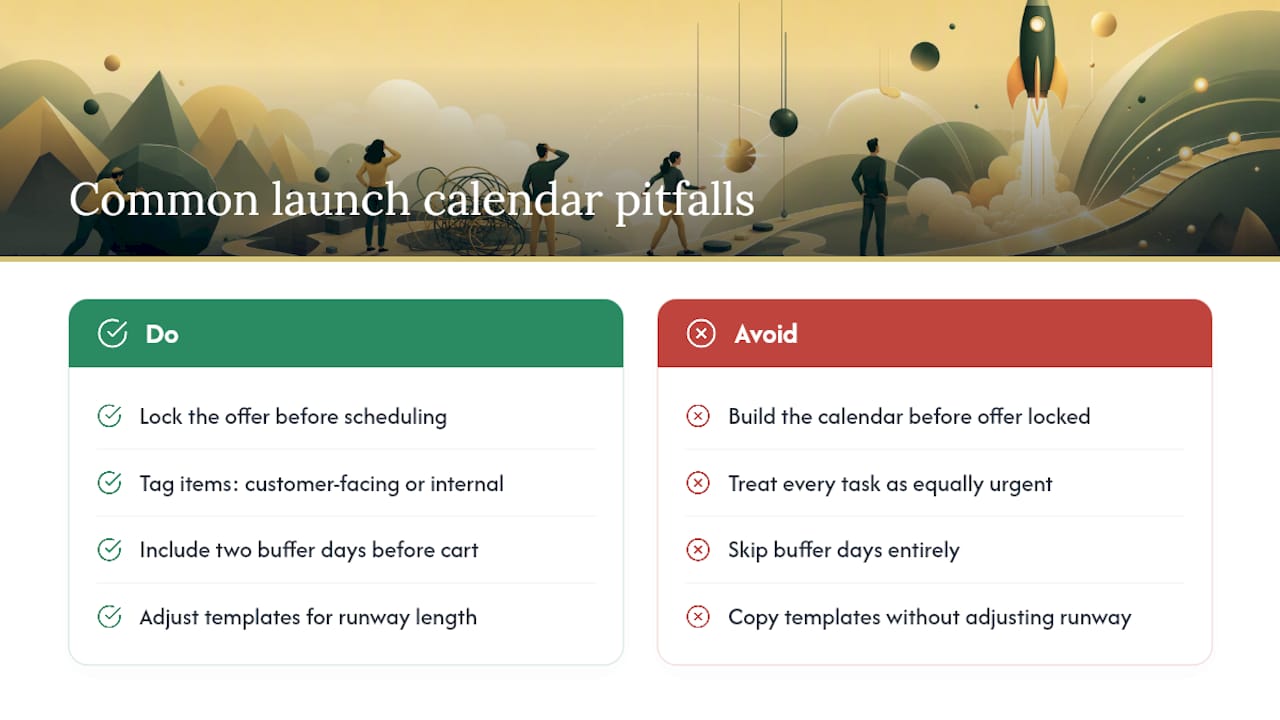
The single biggest mistake is building the calendar before the offer is locked. Pricing, positioning, and packaging changes made mid-calendar cascade into every marketing asset already scheduled, forcing rewrites of sales pages and email sequences that were supposed to be done. Nail the offer first, calendar second.
The second pitfall is treating every task as equally urgent. A calendar with fifty items and no priority tiers just paralyzes the team when something slips, because nobody knows what to sacrifice. Tag every item as customer-facing or internal from day one, so triage decisions during a crunch take seconds instead of a group debate.
A third common failure is skipping buffer days entirely, usually because the timeline already feels tight. Launches without buffer days before cart open routinely discover broken checkout links, missing tracking pixels, or unsent welcome emails in real time, in front of paying customers. Two buffer days cost almost nothing in a 6 to 8 week runway and save entire launches.
The fourth pitfall is copying a template without adjusting it for runway length. A 21-day intensive calendar borrowed from a 6-week plan will schedule asset-building tasks that simply cannot happen in time, because the runway length changes which tasks are even possible, not just how fast they need to happen.
Finally, calendars that live in someone’s head or a scattered set of documents fail the moment that person goes on vacation. Every deliverable needs a named owner and a single shared calendar the whole team, including the agency, can see.
Coordination Strategies for Cross-Functional Launch Teams
Launches fail more often from coordination gaps than from bad ideas. A calendar built for a solo creator does not automatically work once copywriters, video editors, ad buyers, and community managers are all pulling from the same schedule.
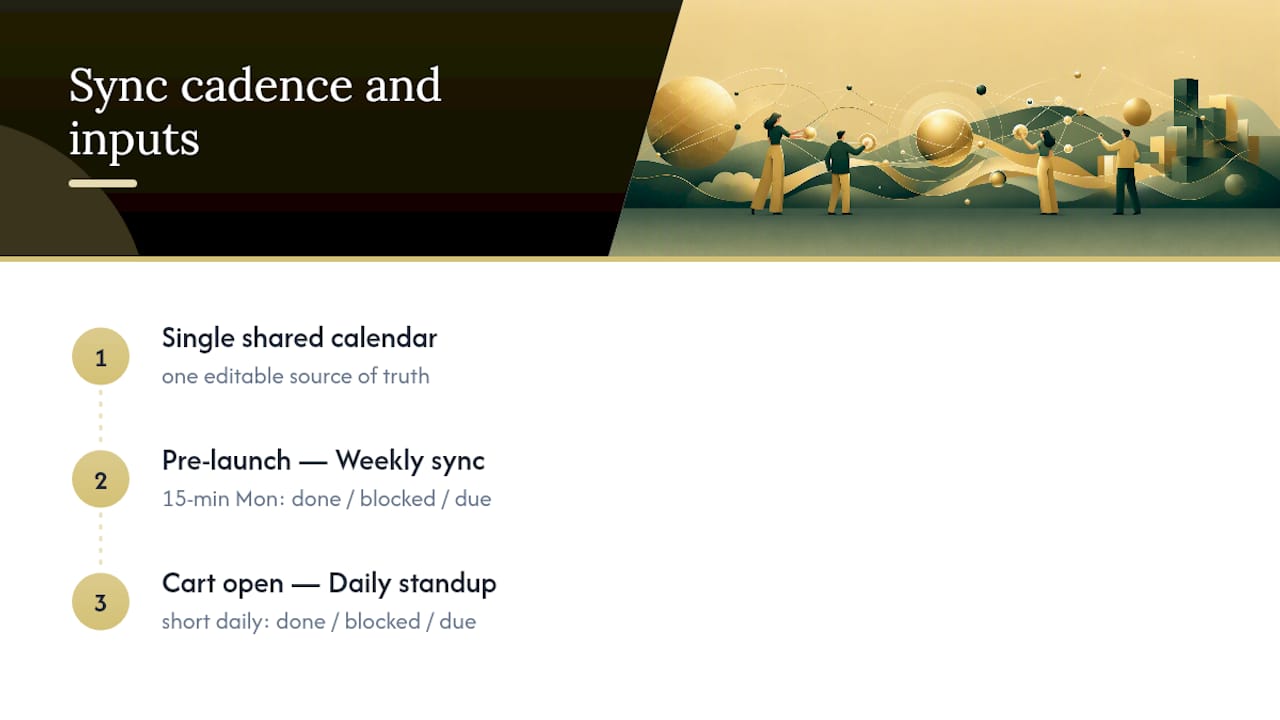
The fix starts with a single shared calendar as the source of truth, whether that’s a shared Google Calendar, a project board in Asana or ClickUp, or a dedicated launch-management tool. Every team member sees the same dates and the same owners. Version control chaos, in which three people have different versions of “the schedule,” disappears the moment there’s exactly one calendar everyone edits from.
Weekly sync checkpoints matter more than daily check-ins during the pre-launch phase, then shift to daily standups once cart opens. A 15-minute Monday call covering what’s done, what’s blocked, and what’s due that week catches slippage before it compounds into a missed launch date.
Clear escalation paths prevent small problems from becoming launch-day emergencies. If a copywriter finishes an email sequence two days late, who decides whether to push the send date or cut a review round? That decision needs an owner named in advance, not debated in a panic on Thursday night.
The clearest coordination win comes from separating creator-owned tasks from agency-owned or team-owned tasks on the calendar itself, color-coded or tagged so at a glance everyone knows who’s blocking whom. A creator who owns “record welcome video” and hasn’t delivered it by the deadline blocks the entire onboarding sequence downstream, and the calendar should make that dependency visible before it becomes a crisis.
Tools and Software for Managing a Launch Calendar
The tool matters less than the discipline behind it, but the right one removes friction. For creators working solo or with a small team, a shared Google Calendar paired with a simple spreadsheet tracking owners and status covers most of what a 4-week or intensive launch needs.
For calendars with more moving parts, project management platforms like Asana, ClickUp, or Trello let you attach owners, due dates, and checklists directly to each task, and they support the kind of dependency tracking that a flat calendar view can’t show. Email platforms like Zoho Campaigns or similar tools handle the send scheduling and give you the click-through data that feeds directly into the decision rules covered earlier.
Whatever the platform, three features matter more than the brand name on the tool: the ability to assign a named owner to every task, the ability to set and see due dates and dependencies at a glance, and enough visibility that everyone on the team, agency included, is looking at the same live version instead of an emailed spreadsheet from three days ago. A tool that can’t do those three things will slow a launch down no matter how polished its interface looks.
Agency Perspective: Where the Handoff Actually Happens
Most creators think hiring an agency means handing over a calendar and walking away. It doesn’t work that way, and it shouldn’t. The agency owns build-out, tracking, and day-to-day execution; the creator owns brand voice, final copy approval, and the go/no-go call on launch date. An agency has run this handoff model across multiple launched programs generating significant tracked revenue, including one launch that closed thousands of sales in ten days. Decision rules exist precisely because a revenue-share model means the agency’s runway depends on the same launch performance the creator’s does.
— Money
Let an Agency Own Your Launch Calendar Execution
Building the calendar is one thing. Running it under pressure, catching a slipping metric at 11 p.m. on cart-open night, is another. An agency operates as a revenue-share partner for creators launching online programs and paid communities, which means there’s no upfront fee and no cost to you until a sale happens.
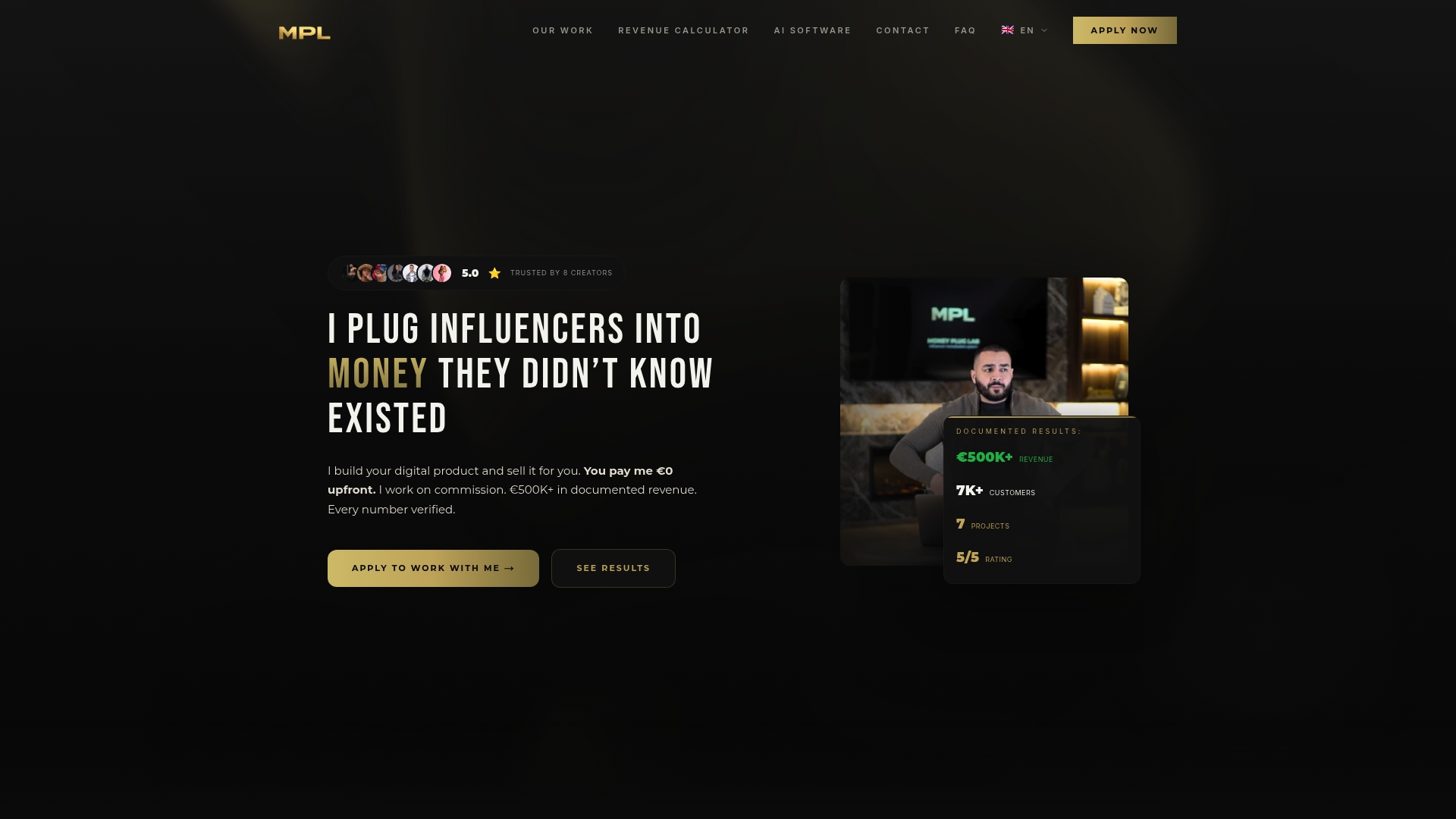
The team can handle the full calendar from offer architecture through delivery, including audience research, pricing strategy, sales copy, video sales letters, payment infrastructure, and paid advertising to drive traffic. If you’d rather hand the calendar, the checklists, and the decision rules to a team that’s already run this playbook, check out Money-plug’s creator program and see if a revenue-share launch partnership fits your next release.
Sources
- The 5 Phase Launch Timeline for Course Creators in 2025: How to Launch Your Education With Confidence — Jodie Brown
- How to Launch a Digital Product: A Step-by-Step Playbook — Pocketsflow Blog
- How To Create a 4-Step Course Launch Calendar — Aicoursify
- Email marketing best practices — Zoho Campaigns
FAQ
How Far in Advance Should I Start Launch Calendar Planning?
Most launches need a 6 to 8 week runway to build assets and run pre-launch marketing without a last-minute scramble; a 4-week compressed calendar or a 7 to 21 day intensive window can work for a warm, already-engaged audience.
What Should Be on a Launch Readiness Checklist?
A readiness checklist should confirm the checkout flow works end-to-end, tracking and UTMs fire correctly, support replies and escalation paths are staged, and the landing page and email sequences are fully built and tested.
Who Should Own the Launch Calendar, the Creator or the Agency?
The agency typically owns build-out, tracking, and day-to-day execution, while the creator retains approval on brand voice, final copy, and the go/no-go decision on launch date.
What Belongs in a Post-Launch Debrief?
A post-launch debrief should review revenue against target, email performance by send, checkout drop-off points, refund patterns, and early activation rates, then convert those findings into calendar defaults for the next launch.